

3D Image Live Wallpaper 3.0.0 APK
Requires Android:2.3 and up | 5.1 MB |
Creates the illusion of a 3D image when tilting the phone!
3D Image Live Wallpaper Features:
• Creates 3D effect from any image• Includes high resolution Jelly Bean 4.2 wallpaper pack
• Efficient OpenGL hardware accelerated graphics
• Adjustable movement options
• Use your own images
• 3D depth effect works best with images with strong edges.
To start, long-press on an open area on your homescreen, select Wallpapers, Live Wallpaper and then pick 3D Image Live Wallpaper from the list.
The app will only install on devices that have a Gyro sensor.
What's in this version : (Updated : Nov 5, 2013)
• NEW: 3 multi-layer scenes.
DOWNLOAD>> DOWNLOAD>>

Smart AppLock v3.3.0 APK
Requires Android: 2.1 and up | 1.2 MB |
Great privacy protection tool for Android. Lock your SMS, Mail, Photo,Contacts !
Smart AppLock
Do your friends always borrow your phone to play games? Do you concern your private data in some android applications may be read by people you do not want?Smart AppLock helps you out!
Smart AppLock is a light tool to protect your privacy in mobile apps.
The cute lock is designed upon Android system level, to provide fully protection to your privacy.
After you set a list of protected apps, there will be lock pattern protection when starting the protected apps.
• lock your app accurately and smartly
• Good at performance and power-saving
• Using beautiful pattern lock
• No ads and no limitation(vs. Free version)
Notice:
• Current version does not support following platforms: MeiZu M9
What's in this version: (Updated : Nov 4, 2013)
• Support change language for Smart AppLock.
• Optimize translation of Spanish.
• Stability improvements.
DOWNLOAD>>
Tapatalk Pro v4.2.5 APK
Requires Android: 3.0 and up | 8 MB |
Introducing Tapatalk HD for Android tablets!
Tapatalk Pro
built specifically for the latest Android 4 Ice-cream Sandwich and Jelly Bean systems - you're getting a full tablet experience on forums with split views and other interface enhancement that works great on tablets with 7" or bigger screen.Features:
• New - Gallery view on bigger forums, discover new discussions by photos
• New - Push Notification - instant notification of subscribed topics, private messages, likes received, mentioned, and more!
• Portrait and Landscape view optimized
• Dark and Light Mode
• Forum Moderation - stick, open, close, delete, ban and more
• Dark and Light themes
• ...and all the features you would find from the already amazing Tapatalk Forum App
for phone!
What's in this version : (Updated : Nov 5, 2013)
• Fixed jump to unread issue
• Fixed crash when open thread
• Ability to manage your Tapatalk ID account profile such as changing username and
password.
• Fixed some forums can not be accessed issue.
• Fixed Moderation requires multiple login.
• Fixed certain Youtube links can not be recognised issue.
• Fixed post positioning issue when open from search result.
• Lot's other crash fixes and bug fixes.
DOWNLOAD>> DOWNLOAD>>
![ANDROID [root] Mobile ODIN Pro v3.85 APK](https://blogger.googleusercontent.com/img/b/R29vZ2xl/AVvXsEhK6zIHaIPL9OPNKp2cAprKsG-gZ1BhDo7Pkr5Y-FE8hb79e1N9K4JiMrg_TCbfgjT2HMYULC8GWyGQMHPTTtwDGH8Ns6pUw3A78GIStdqBzcgE2TFuU2aCsBiC-DrxWAwjnXr6HRTMwqVv/s1600/Mobile+Odin.JPG "[root] Mobile ODIN Pro v3.85 APK")
[root] Mobile ODIN Pro v3.85 APK
Requires Android: 2.2 and up | 2.5 MB |
Mobile ODIN - Full firmware flashing straight from the device itself !
[root] Mobile ODIN Pro
Just throw those firmware files on your (internal or external) SD card, start Mobile ODIN and flash away.! Your device must be rooted to be able to use Mobile ODIN. Check the list below to see if your device is supported !
If you use the EverRoot option, Mobile ODIN will root the firmware while you flash it. Checking out that new leaked firmware? No reason to lose root!
Flashing with Mobile ODIN is easy. You start by starting the app and the app will check your system has everything it needs to continue (like root). It may need to download an additional package, so it is advised you have Wi-Fi available.
Now you should see the main Mobile ODIN screen. It will list a set of partitions. Clicking a partition will allow you to select a file from your SD card to flash to that partition. Do not worry about selecting the wrong file - Mobile ODIN will not let you. Separate files (named after the partition) as well as .tar and .tar.md5 files are supported.
From the desktop ODIN you may be used to "PDA", "PHONE", and "CSC" buttons. All three of these buttons have been replaced by the "Open file ..." button. This button will open the file you select from the SD card, and find all the partitions it can flash inside that file. So if you select a .tar file containing kernel and modem, the Kernel and Modem partitions will be set up to use that .tar file for flashing.
Now that we have selected what we want to flash, if you have the Pro version you can proceed to the EverRoot section. The EverRoot options allows you to root your firmware while it is being flashed. Never again will you be without root! Select here which apps you want to inject in the firmware that is being flashed.
Now that we are all done selecting partitions and configuring EverRoot, we continue to "Flash firmware". Mobile ODIN will gather all the information it needs and perform the flash. Before starting, however, it will check that your battery level is over 50%, and if applicable offer to verify MD5 checksums on the files you have selected to flash. If all is well, it will reboot into recovery mode, and flash the firmware you have selected.
Currently supported devices:
• Samsung Galaxy S GT-I9000/B/M
• Samsung Galaxy S GT-I9003/L
• AT&T/Rogers Captivate SGH-I896/I897
• Samsung Galaxy S2 GT-I9100/T/G/m
• Samsung Galaxy S2 SHW-M250S/K
• Samsung Galaxy S2 SC-02C
• AT&T Galaxy S2 SGH-I777
• Sprint/Virgin/Boost Epic 4G Touch SPH-D710/VMUB/BST
• USCC Galaxy S2 SCH-R760
• Samsung Galaxy S3 GT-I9300/T
• Samsung Galaxy S3 GT-I9308
• AT&T/Canadia Galaxy S3 SGH-I747/M
• TMOUS Galaxy S3 SGH-T999
• Sprint/C-Spire Galaxy S3 SPH/SCH-L710
• VZW Galaxy S3 SCH-I535 (unlock bootloader !)
• USCC/Cricket/MetroPCS Galaxy S3 SCH-R530/U/M/C
• Samsung Galaxy S3 LTE SHV-E210S
• Samsung Galaxy S3 LTE GT-I9305/T/N
• Google Galaxy Nexus (GSM) Maguro/Yakju/GT-I9250
• Google Galaxy Nexus (CDMA/LTE) Toro/Mysid/SCH-I515 (no cdma radio flashing)
• Samsung Galaxy Note GT-N7000
• Samsung Galaxy Note GT-I9220
• Samsung Galaxy Note GT-N7000B
• Samsung Galaxy Note 2 GT-N7100
• Samsung Galaxy Note 2 LTE GT-N7105
• AT&T/Canadia Galaxy Note 2 SGH-I317/M
• TMOUS Galaxy Note 2 SGH-T889
• Sprint Galaxy Note 2 SPH-L900
• VZW Galaxy Note 2 SCH-I605 (unlock bootloader !)
• USCC Galaxy Note 2 SCH-R950
• Samsung Galaxy Note 10.1" GT-N8000
• Samsung Galaxy Note 10.1" Wi-Fi GT-N8010/N8013
• Samsung Galaxy Tab 7" GT-P1000
• Samsung Galaxy Tab 7.0 Plus GT-P6200/L, GT-P6210
• Samsung Galaxy Tab 7.7" GT-P6800, GT-P6810
• Samsung Galaxy Tab 10.1" GT-P7500, GT-P7510
• Samsung Galaxy Tab 2 7" GT-P3100, GT-P3110, GT-P3113
• Samsung Galaxy Tab 2 10" GT-P5100, GT-P5110, GT-P5113
• Samsung Galaxy 5 GT-I5500/B/L/T/M
• Samsung Galaxy 5 GT-I5503/T
• Samsung Galaxy 5 GT-I5508
• Flashing with Mobile ODIN does NOT increase your custom kernel flash counter or
make the yellow warning triangle appear.
What's in this version: (Updated : Nov 4, 2013)
• Fixed SGS4 I9505 on Android 4.3 issues
• Fixed CSC issue with >2gb firmwares
• Updated: SuperSU v1.65
• Updated: Root installation for 4.3+
• Added: Support for:
• Samsung Galaxy Note 3 International SM-N9005
DOWNLOAD>> DOWNLOAD>>

MX Player Pro v1.7.20 APK
Requires Android: 2.1 and up | 7 MB |
MX Video Player - The best way to enjoy your movies !
MX Player Pro
MULTI-CORE DECODING - MX Video Player is the first Android video player that performs multi-core decoding. According to the test results on dual-core devices, it shows up to 70% performance improvement than single-core devices.CPU OPTIMIZATION - Provides highly optimized CODECs and Rendering Engines for the processors including ARM® NEON™ and NVIDIA® Tegra™ 2.
MULTI-TOUCH VIDEO ZOOM CONTROL - Zoom while playing your video in and out using multi-touch gestures.
SUBTITLE SCROLL - Scroll on subtitle text and playback position will be adjusted to match previous or next subtitle timing.
BETTER SUBTITLE READABILITY - Increased subtitle readability with thicker border and shadow around text.
FULL HONEYCOMB SUPPORT
Supported File Types :
• SubRip(.srt)
• Sub Station Alpha(.ssa/.ass)
• MicroDVD(.sub/.txt)
• SubViewer2.0(.sub)
• SAMI(.smi/.sami)
• MPL2(.mpl/.txt)
• PowerDivX(.psb/.txt)
• TMPlayer(.txt)
• Matroska (.mkv) Subtitle Track. (text, ass/ssa only)
What's in this version : (Updated : Nov 3, 2013)
• Support Android 4.4 KitKat.
• Custom codec for MX Player 1.7.19 is not compatible with this version. Please install latest
codec again
DOWNLOAD>> DOWNLOAD>>
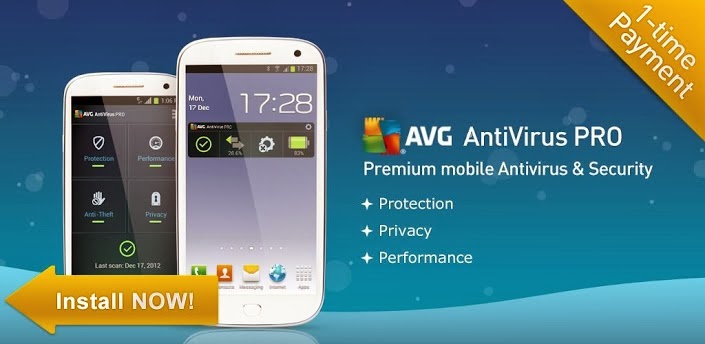
Mobile AntiVirus Security PRO v3.4.0.1 APK
Requires Android: 1.6 and up | 8.2 MB |
AVG Antivirus Pro for Smartphones/Tablets protects you from harmful apps & SMS!
Mobile AntiVirus Security PRO
AVG Mobilation™ Antivirus Pro is a mobile security solution that not only helps protect your phone from viruses, malware, spyware & online exploitation in real-time, but also offers a suite of features to help keep your privacy, personal data and online identity safe.Download the AVG Mobilation Antivirus Pro app to:
• Scan apps, settings, files, and media for viruses and malware in real time
• Find/locate your lost or stolen phone via Google Maps™
• In case of theft, lock and wipe your device to keep private data safe
• Kill tasks that slow your phone down
• Browse the web safely and securely
AVG Mobilation™ focuses specifically on the mobile environment and is a part of the trusted family of AVG® branded security technologies that caters to over 100 million active users worldwide.
With the AVG Mobilation Antivirus Pro app, you’ll receive effective, easy-to-use virus and malware protection, as well as a real-time scanner, phone locator, task killer, app locker and local device wipe through the remote management service.
An in-depth look at the AVG Mobilation Antivirus Pro features that help:
• Give you peace of mind no matter how you download your apps or games
• Protect against malicious apps from viruses, malware and spyware
• Identify unsecure device settings and advises on how to fix them.
• Ensure contacts, bookmarks and text messages are secure and safe
• Check media files for malicious software and mobile security threats
• Protect you from phishing attacks
• Run daily, weekly, or on demand scans
• Anti-theft protection and Phone Locator:
• Ability to locate your lost or stolen mobile phone and get help with finding it via Google
Maps™
• Ability turn your phone GPS on remotely and have the device send its location using GPS
• Lock your phone remotely via our online remote management account or by sending SMS
to your phone to protect your data and privacy
• Set a lock screen message to help the locator find you
• Make your device ring even if your phone is on silent mode
• Safe Web Surfing:
• Search, shop and social network with peace of mind knowing your identity, and personal
data are secure from phishing and malware while surfing the web
• Scans the web site addresses to see if they are harmful sites. If it detects something
suspicious, it will redirect you to AVG Mobilation’s “Safe Page” should it find the URL
address to be untrustworthy
Task killer:
• Kill tasks that slow down or freeze up your device
• App locker and mobile privacy:
• Lock apps to protect your privacy and safety or lock your device setting to secure your
device configuration
• Local wipe:
• Ability to completely wipe contacts, text messages, photos, browser history, calendar,
format SD Card, and restore mobile device to factory settings
• Manually select specific data and information from your mobile device that you want
deleted, such as synced email accounts, apps, and specific files, using the Local Wipe
advanced feature
Tune-up Battery & Storage optimization:
• Battery power saver notifies you when your battery is below the level you indicated and
lets you turn-off functions not in use in order to save power.
• Storage optimization indicates internal and SD card usage and helps optimize storage
space on your phone. This lets you move apps between the SD Card and internal storage
with the help of a list of apps sorted by size and location.
Languages supported:
• English, German, Spanish, French, Japanese, Korean, Chinese, Portuguese, Russian,
Arabic, Italian, Polish, Hebrew, Czech, and Dutch.
What's in this version : (Updated : Oct 29, 2013)
• Bug fixes
• Malware detection improvements
• File scanner improvements
• Memory & Cache Cleaner added
DOWNLOAD>> DOWNLOAD>>
Root Cleaner v3.0.1 APK
Requires Android: 2.1 and up | 666 KB |
UNIQUE ROOT APPLICATION AND ALSO GREAT FOR USING WITH RAM MANAGER!
Root Cleaner
Simple and effective application which a lot increases your peformance by cleaning your system. You can choose between quick cleaning and full cleaning. Quick cleaning clears your memory, file cache, etc. and you can do that without reboot.Full cleaning requires reboot, but it makes really total maintenance of your system. Full cleaning is also great when you want to flash other ROM or kernel, so it will clean your device to prevent any problem. Application is also great application manager, you can uninstall, clear data and freeze or unfreeze your system and non-system applications.
Features:
• Quick cleaning• Clearing memory (Optional)
• Clearing file cache
• Restarting UI (Optional)
• Deleting useless folders from SD card (Optional)
• Full cleaning
• Wiping cache
• Wiping dalvik cache
• Battery calibration (Optional)
• Deleting useless files from init.d folder
• Fixing permissions
• Deleting useless folders from SD card (Optional)
• App manager (system and non-system apps)
• Uninstalling
• Clearing data
• Freezing
• Unfreezing
What's in this version : (Updated : O1ct 29, 2013)
• Fixed all minor bugs
• Some minor improvements
DOWNLOAD>> DOWNLOAD>>
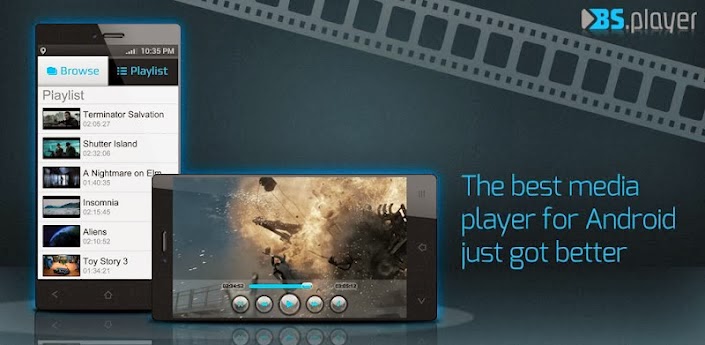
BSPlayer v1.11.162 APK
Requires Android:4.0 and up | 6 MB |
This is the full, ad-free version of BSPlayer with additional functionality!
BSPlayer
This is the full, ad-free version of BSPlayer with additional functionality.BSPlayer is the best media player for Android smartphones and tablet PCs (average user rating 4.6/5), supporting hardware accelerated video decoding.
BSPlayer Features:
• No advertisements• Audio pre-amplification
• Hardware accelerated video playback - significantly increases playback speed and reduces
battery consumption*
• Support for almost all media files (video and audio player), such as: avi, divx, flv, mkv,
mov, mpg, mts, mp4, m4v, rmvb, wmv, 3gp, mp3... and streaming content such as RTMP,
RTSP, MMS (tcp, http), HTTP Live stream, HTTP.
• aspect-ratio adjustements and zoom
• Multiple audio streams and subtitles.
• supports gestures for Seek, Jump, Brightness and Volume control
• Playlist support and various playback modes.
• support for audio headsets
• External and embedded subtitles ssa/ass, srt, sub...
• Automatic subtitle search (mobile or wi-fi connection must be enabled to work)
• Playback media files such as videos and mp3's directly via Wi-Fi from your LAN shared
drives/folders (such as external USB drives, SMB shares, PC shared folders, NAS servers
(Synology and others)) - no need to convert video files and copy media files to SD card
anymore!
• Playback files directly from uncompressed RAR files and much more!
This package includes support for ARMv7 with VFP and NEON. For other CPU types please download appropriate package. Application will notify you which package you need.
NOTE: When reporting error please add info about your smartphone brand and model. Also you can send us more detailed bug report on e-mail android@bsplayer.com. We are trying to improve the player for the users and your feedback is appreciated.
This software uses code of FFmpeg licensed under the LGPLv2.1 and its source can be downloaded from BSPlayer website.
What's in this version : (Updated : Oct 29, 2013)
• dark theme is back
• some bug fixes\
DOWNLOAD>> DOWNLOAD>>
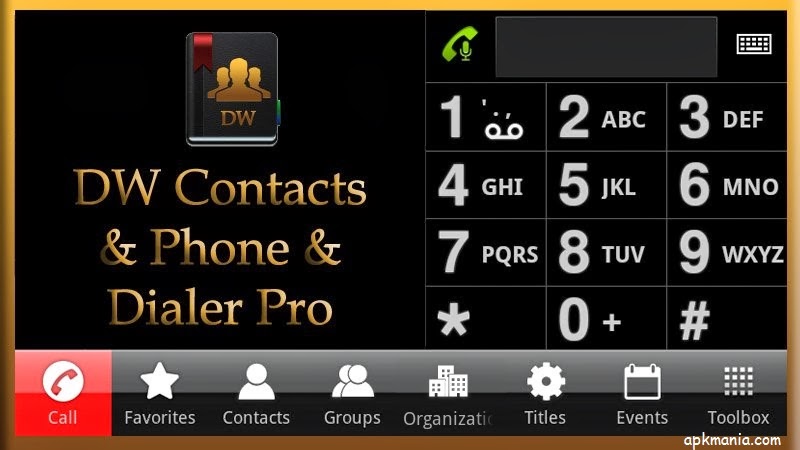
DW Contacts & Phone & Dialer v2.5.7.1-pro APK
Requires Android: 2.1 and up | 4 MB |
Dialer, Phone, Contacts, Groups, SMS, MMS, Email, Organization, Ringtone, Call Filter, DW Contacts & Phonen !
DW Contacts & Phone & Dialer:
DW Contacts & Phone is a powerful (MUST HAVE) replacement for your stock dialer, contacts and phone management applicationFeatures :
• multi-language support
• most functions are accessible by using the *LONG PRESS* (tap and hold) on any item or
use *MENU* key
• very flexible to configure the design of every view (sort order, fonts size, color,
transparency)
• quick-jump function, show a window, where you can click the first letter of your
contact and quickly jump/scroll to it
• configurable contact view, how it should show the list (*show contacts as* / *sort order*
for last name, first name, nick name, ...)
• support for all account types (local, Google, ms exchange, ...)
• tab bars: hide & sortable, include gesture switching to different views (phone, history,
favorites, contacts, search, groups, organization, titles, events, toolbox)
• full management for your contacts (create, add, change, delete, copy contacts, copy to
another account, groups, organization, titles in single- and multi select mode)
• batch mode for mass delivery with SMS, MMS, emails on single- and multi selection
(contacts, groups, organizations, titles)
• search contacts by any attribute (name, nick name, phone number, organization, notes,
address, email, relationships, websites, birthday, ...) + voice search
• support for layered groups, sub-groups (sub-group via Business.VIP = Business -> VIP)
• set ringtones on single- and multi select (contacts, groups, organizations, titles)
• contact event notification and contact event management (birthday, anniversary) +
support for lunar calendar format
• easy sending event greetings to your contacts
• create shortcut to home on any contact item or on any tab via toolbox (phone, dialer,
contacts, favorites, groups, organizations, titles, ...)
• extended incoming call view (background service: show organization, group, notes,
group picture)
• share contacts (text,vcard) via SMS, email, ...
• call filter (blocking incoming calls on free definable date- and time zones)
• display call history with summary for single- or multi-select contacts, groups,
organization, titles, ...
• dialer(phone) with T9-search - has many options to make it exactly to your wishes
• dialer and dialpad scalable and adjustable in size, background, color, font size can be
changed
• full T9-search on all contacts fields and configurable
• icons for contact picture, dial, SMS, email
• quick dial manager (long press 0-9)
• quick dial last number
• display call history on dialer
• edit number before dialing
• voice dialer
What's in this version : (Updated : Oct 17, 2013)
• Now you can write notes for each call record
• Optimization of Batch Speed
• Adjust contact details layout
• Multi-selection mode in the address list
• Dialpad width adjustable (suitable for large-screen mobile single-hand operation)
DOWNLOAD>> DOWNLOAD>>

TweetCaster Pro for Twitter v7.8 Apk
Requires Android:1.6 and up | 4 MB |
TweetCaster is the #1 Android Twitter app with the most innovative features!
App Review:
TweetCaster Pro is the banner ad-free version of TweetCaster, the #1 Twitter app for Android and the ONLY app with Search Party – revolutionizing Twitter search for everyone.TweetCaster boasts a bright & clean UI, lightning fast speed, and more features than any other Twitter app. No wonder millions of users have downloaded it worldwide!
Optimized for both phones and tablets, TweetCaster is the perfect app, no matter what device you are using.
TweetCaster Innovations:
• Search Party – Searching among the millions of tweets on Twitter can be like finding aneedle in a haystack. But with Search Party, you can narrow down your search! For
example, just search someone’s timeline. Or mentions. Or favorites. It’s how Twitter
search was meant to be!
• SmartLists – Organize the chaos of your Twitter stream by grouping people into Lists,
simply and easily (phones only)
• Photo Effects – Add filters, effects and captions to photo attachments
• Speak Tweets – Tap microphone on New Tweet screen to speak instead of typing
• Enhanced Widget – Updated look & scrollable/resizeable on Android 3.0+
• Zip It – Zip annoying tweeters or Twitter trends from your timeline without unfollowing
• Smart Filters – Display filtered views of your timeline that allow you to look only at
tweets containing photos, links or videos (tablets only)
Plus the most features:
• Facebook – Simultaneously post to Twitter and Facebook
• Multiple Twitter Accounts – Manage multiple Twitter accounts, post to both
• Schedule Tweets – Compose a tweet and schedule it to send later
• TweetMarker – Service that keeps your place in the timeline
• Read Later – Save long stories to Instapaper or Read It Later service
• Themes – Twelve themes to choose from
• Color Code Tweets – Choose a custom color for your Tweets and mentions
• Multiple widgets – Two different widgets allow you to bring TweetCaster to your home
screen
• Advanced Retweeting – Retweet with or without comment
• Customization – Customize your visual theme, font size and notification frequency
• Long Tweets – Use Twitlonger service to tweet over 140 characters
• Replies and Conversation Threads – View all replies and conversations related to a tweet
• Who to Follow – Suggests people to follow
What's in this version : (Updated : Oct 17, 2013)
• Swipe navigation between tabs
• Improved photo filter view on phones
• Pin to Top while streaming option added to Settings
• Improved YouTube playback
• Fixed geo-tagging tweet issue
DOWNLOAD>> DOWNLOAD>>

Sliding Messaging Pro v7.71 APK
Requires Android :4.0 and up | 5.2 MB |
Easily manage text messages in a new and up to date format compliant with the Android!
Sliding Messaging Pro :
Easily manage text messages in a new and up to date format compliant with the Android design guidelines and visually based on the stock messaging app from Google, with added features.Sliding Messaging Pro Features:
• Easily switch between conversations by dragging out the sliding menu on the left side ofthe screen.
• Start a new conversation by sliding out the menu on the right side of the screen
• Manage old messages with a single click
• Choose between light and dark themes
• Limited MMS support
• Emoji support
• Adjust text size and control notifications and theme though settings
• Quick reply popup
• Multi-window support for Galaxy Note
• Light Flow support
Pro Features:
• Currently limited MMS support (future improvement definitely coming though)
• Lots more coming in the future :)
Note:
• If you are having problems receiving notifications, you may need to uninstall 3rd party
messengers such as Go SMS.
• When using this app, do not disable the stock messaging app as I use it to permanently
save messages to the phone. You can however, disable notifications for it so that you
don't receive 2 of them.
What's in this version : (Updated : Oct 15, 2013)
• Crash and bug fixes
• Batch delete fixes
• Added the ability to send messages directly from Quick Peek
• Show contact pictures on SlideOver bubble
• SlideOver ping on unlock
• Navigation drawer to compose new messages instead of sliding menu
• Changed the sizing of the SlideOver popup slightly
• Option to adjust the width of the SlideOver popup
• Added a disclaimer to the notification listener option for Google Voice
• Tons of optimizations
• Bug fixes
DOWNLOAD>> DOWNLOAD>>

3D Image Live Wallpaper v2.0.6 build 23 APK
Requires Android:2.3 and up | 5.1 MB |
Creates the illusion of a 3D image when tilting the phone!
3D Image Live Wallpaper Features:
• Creates 3D effect from any image• Includes high resolution Jelly Bean 4.2 wallpaper pack
• Efficient OpenGL hardware accelerated graphics
• Adjustable movement options
• Use your own images
• 3D depth effect works best with images with strong edges.
To start, long-press on an open area on your homescreen, select Wallpapers, Live Wallpaper and then pick 3D Image Live Wallpaper from the list.
The app will only install on devices that have a Gyro sensor.
What's in this version : (Updated : Sep 6, 2013)
• Workaround for 4.3 gyro bug on Nexus 4 & 7 (2012). App restart may be required - Set
another wallpaper then re-set 3D Image.
• Added invert pitch/roll direction options
• Added extra effect option. Colours are automatically selected based on background
image.
DOWNLOAD>> DOWNLOAD>>
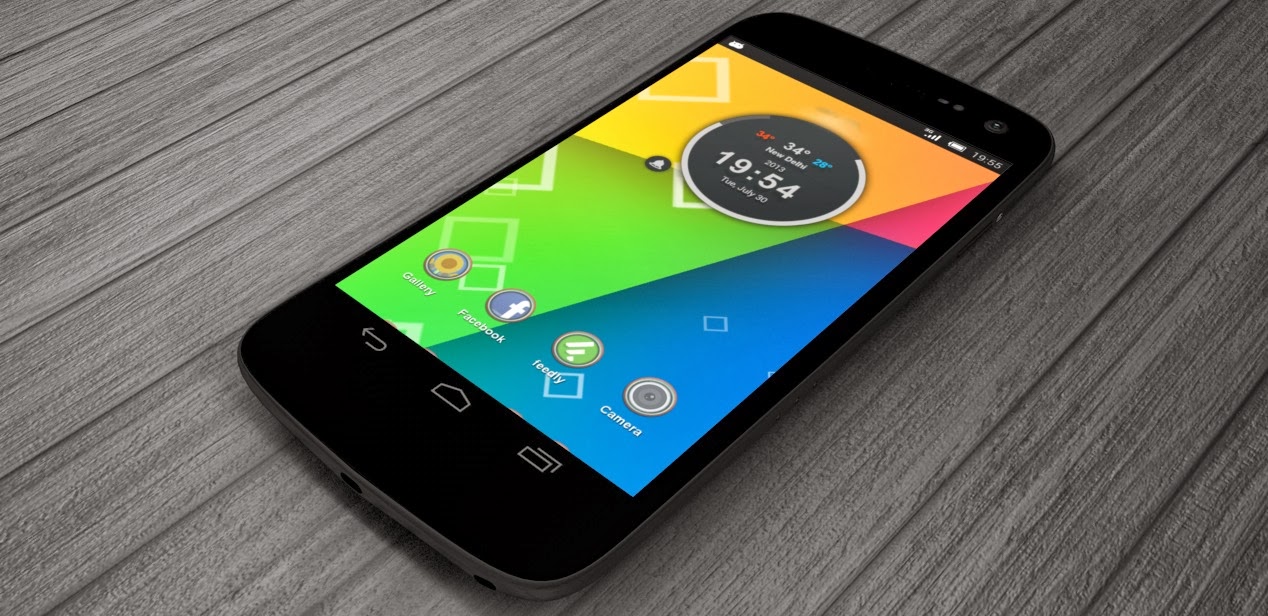
Jelly Bean 4.3 Parallax LWP v1.0.2 APK
Requires Android:2.1 and up | 1.6 MB |
In continuation with the awesome 3D Parallax effect live wallpaper!
Jelly Bean 4.3 Parallax LWP:
Lone hiPPo is proud to present a brand new LWP that combines the Parallax Depth effect found in iOS7, with Google's latest Jelly Bean 4.3 Nexus Wallpaper. This awesome combination brings floating objects to life as you tilt your device
3D Jelly Bean 4.3 Parallax LWP for Android brings the best of both worlds to your Android phone or tablet with a host of configurable options. The result is an amazingly immersive experience that you can show off on your handsome device.
3D Jelly Bean 4.3 Parallax LWP is not a standalone app, but is a Live Wallpaper for your Android home screen. This LWP literally takes immersive experience to the next level with easy-to-use and understand customizations. The customizations themselves are pretty nifty and pack a punch in making the experience incredibly realistic in low and high end phones alike. A lot of care has been taken to ensure that battery isn't eaten up and our LWP makes sure that there is no unnecessary leak or performance glitches.
Features:
• Floating objects that replicate the Nexus feel• Realistic iOS 7 like immersive parallax experience• Ability to configure speed and volume of floating objects• Ability to adjust and configure the parallax tilt effect• Save battery by reducing switching to low performance mode• Enhance performance by switching to low image buffer mode
Try the 3D Jelly Bean 4.3 Parallax LWP on your Android Device right away!
What's in this version : (Updated : Oct 4, 2013)• Fixed forced install-to-SD issue (now default will be Internal Storage with option of
3D Jelly Bean 4.3 Parallax LWP for Android brings the best of both worlds to your Android phone or tablet with a host of configurable options. The result is an amazingly immersive experience that you can show off on your handsome device.
3D Jelly Bean 4.3 Parallax LWP is not a standalone app, but is a Live Wallpaper for your Android home screen. This LWP literally takes immersive experience to the next level with easy-to-use and understand customizations. The customizations themselves are pretty nifty and pack a punch in making the experience incredibly realistic in low and high end phones alike. A lot of care has been taken to ensure that battery isn't eaten up and our LWP makes sure that there is no unnecessary leak or performance glitches.
Features:
• Floating objects that replicate the Nexus feel• Realistic iOS 7 like immersive parallax experience• Ability to configure speed and volume of floating objects• Ability to adjust and configure the parallax tilt effect• Save battery by reducing switching to low performance mode• Enhance performance by switching to low image buffer mode
Try the 3D Jelly Bean 4.3 Parallax LWP on your Android Device right away!
What's in this version : (Updated : Oct 4, 2013)• Fixed forced install-to-SD issue (now default will be Internal Storage with option of
moving)
DOWNLOAD>> DOWNLOAD>>


