

Handy Album Pro v6.4.1 APK
Requires Android:2.2 and up | 20 MB |
Your photo book with style!
Handy Album :
If you are looking for a photo retouching software, we recommend you to use PicSay Pro.If you are looking for a frame application, we recommend you to try PicFrame .
If you want to organize your scattered photos, text, handwriting, decorations and more into a nice electronic album, Handy Album can fulfill your needs more than you expected!
No matter the level of your photographical skills and whether or not you are familiar to photo software, Photo Album can turn your scattered photos into a professional electronic album in THREE MINUTES!
There are probably tons of photos in your Android phone & pad, each of pieces of photo can tell different stories, stories about the very first step of your baby, a wonderful picnic with your family, or a happy hang-out with your friends, a romantic time with your lover, a moment of family re-union event etc.
Are you rather keep these lovely pictures in mess on your phone or you want to organize them into a beautify album?
When you forgot a person`s name in a picture or where it was taken, Do You wish you to mark the photo with some special decoration to remind you later?
Do you want to impress people with a nicely photo book or to leave scattered photos in your phone forever?
Handy Album can seize your special moment by promising to create a polished photo book in TWO STEPS!
Steps:
• Choose a photo book to fits your needs.
• Place your photo on template & THAT`S IT!!
Professional templates:
• Hundreds of art- design templates, covers and papers, colorful and interesting sticky
papers, symbols are built-in and ready for use.
• Get started by choosing a photo book, where different templates are grouped into styles
that match the photo book.
• filling your photo into templates—complete creating your photo book with impressive
results.
• Photo modification
• Dozens of filters variations, hundreds of combinations in one app.
• Handwritten, text input, photo insert, doodling are perfect unifies in together.
• Copy & delete, layer, view, lock/unlock, replace photo in seconds.
• Text & Handwriting
• Magic Pen allows you to Write without stopping and feel like writing on a paper.
• 24 sticker style backgrounds, 20 Text size, 12 color, numbering, bullet, align, etc.
• Demonstration and & sharing
• Sharing photo book to the world via Facebook, Email, MMS and wallpaper.
• Back up photo or photo book via SD card, email and Drop box as PDF, JPEG
What's in this version : (Updated : Sep 27, 2013)
• add-on introduction: "AppPack 01 -Photo Editor"( Free) : transform photo with specific
effects and edits
• bug fix
DOWNLOAD>> DOWNLOAD>>

Perfectly Clear v2.0.3 APK
Requires Android:3.3.0 and up| 30 MB |
Perfectly Clear has arrived for the world’s most popular mobile operating system, Android!
Perfectly Clear for android :
Athentech Imaging, the makers of Perfectly Clear, have been the industry leaders in Automatic Image Correction for years. Our powerful and desktop and intelligent LAB software have led the way for an award winning iPhone app and now Android app.Camera phones lack the quality and sophistication that dedicated cameras have and often leave you with underexposed, washed out photos. Perfectly Clear Automatically corrects these images and turns them into stunning memories for years to come. Now, from the everyday smart phone user to the experienced mobile photographer, there is an intelligent way to automatically correct your photos anywhere, anytime.
With the new, completely redesigned interface, no effort is required to create and then share beautiful looking images with this fun-to-use app. Watch as Perfectly Clear automatically peels off your original photo to reveal a vibrant, color corrected photo with crisp details you couldn’t see in your original. Want more then automatic? Perfectly Clear lets you use our 10 patented correction to further customize your image the with the use of easy, intuitive sliders.
See for yourself the power of Perfectly Clear
Perfectly Clear for Android is available at an introductory price of $.99! That's 50% off.
This is your chance to get this great new app from an award winning software company. Perfectly Clear will transform you Android photos from mere snapshots into stunning memories.
What's in this version : (Updated : Aug 2, 2013)
• fixing bugs and stability issues
DOWNLOAD>> DOWNLOAD>>
XnRetro Pro v1.40 APK
Requires Android:2.2 and up | 7.3 MB |
The paid, ad-free version of the free XnSketch app, with more frames!
XnRetro Pro:
With XnRetro, you can easily create stunning images with vintage or instant effect.XnRetro Pro Features:
• Different color effects• Different frame borders
• Contrast, brightness and saturation adjustement
• Vignetting
• Save in gallery
• Share with your friends with Instagram, Twitter, Facebook, Email, …
What's in this version : (Updated : Sep 18, 2013)
• UI improved & bugs fixed
DOWNLOAD>> DOWNLOAD>>
Magic Hour - Camera v1.2.61 APK
Requires Android :2.1 and up | 14 MB |
Magic Hour Camera - You can download unlimited filters for free!!
Magic Hour - Camera
Magic Hour is an app that can transform your ordinary photos to extraordinary ones.It will give you a fun experience you've never had.
We put the short moments of Magic Hour that make everything beautiful into our app.
Capture the moments of daily life!
• Use the grid, touch screen photo taking capabilities, flash capability (offered in the
available devices) and front camera(offered in Galaxy S, S2, Nexus 2 with GingerBread).
• "Save Original Photo" function.
Make your memories more precious!
• By using 40 awesome filters we provide, turn your photos into work of art. It only takes
a few taps.
Transfer mediocre photos to professional ones with a few taps!
• Use Curves, Saturation, Brightness, Contrast, 8 types of Vignettes, 23 kinds of Textures
and 12 different frame selections.
• Retouch the curves, brightness, contrast, vignette, textures, and frames of your photos.
• By doing so, you can make the filters suit your mood, taste and style. Also you can save
your filters and use them again anytime.
• Create filters and edit them anytime
Post your photos and share it with your friends and the whole world.
• You can share photos on social network services such as facebook, twitter, flickr,
tumblr, WhatsApp, KakaoTalk!
• Choose your facebook wall or album, twitpic or yfrog via twitter or simply email it to
your friends.
• You can simply use Magic Hour on your Gallery share menu.
FREE Filter Market! It's amazing!
What photo app would be fun without updating it with new filters?
We provide you with unlimited filters from the Filter Market. You can upload your filters and share them with your friends and anyone with Magic Hour application.
• Download tons of free filters from the Filter Market.
• Share your filters with friends and anyone with the Magic Hour app via Filter Market.
Supported screen size"
• 320x480, 480x800, 480x854, 600x1024
What's in this version : (Updated : Sep 11, 2013)
• Support Tablet models
Here is the link for download............
DOWNLOAD>>

Camera JB+ v3.0 APK
Requires Android :4.0.3 and up | 8.4 MB |
Camera JB+ is an improved version of the official Camera and Gallery app included on Jelly Bean!
Camera JB+
Camera JB+ is the ultimate camera & gallery app based on the latest version of Android Jelly Bean (Android 4.2).It also includes a complete photo editor that lets you retouch the pictures in a very simple way.
Camera JB+ FEATURES:
CAMERA:3 modes: camera, video recorder & panorama
Silent mode (no shutter sound, might not work on some devices)
Pinch to zoom
Configurable volume keys
Wide screen pictures
Picture quality setting (low/medium/high/ultra)
Configurable storage source (Internal/SD card)
Timer
Burst mode
Guidelines
Video/Audio quality configurable
GALLERY:
Ultra fast photos & videos viewer
Configurable thumbnail size
Grid view/Filmstrip view
Hide unwanted folders
Slideshow mode
Trim videos
PHOTO EDITOR:
High quality photo editing
New filters and borders
What's in this version: (Updated : Sep 12, 2013)
New Android 4.3 camera UI
Improved external SD card detection
Added extra photo resolutions for new devices
Full brightness option
Configurable show/hide status bar on gallery app
Here is the link for download............
DOWNLOAD>>

Snap Camera HDR v3.5.3 APK
Requires Android:2.3.3 and up | 5.3 MB |
A Whole New Camera Experience!
Snap Camera HDR
Snap is a camera and gallery application based on the camera included in Android 4.2 on the Nexus 4.Take pictures and record video with a single click, no cluttered preview screen, just the two buttons you really need.
It has a simple, powerful user interface. Touch to focus, pinch to zoom, swipe to review and long press for photo settings. The photo controller includes settings for colour, contrast and sharpness (if supported by the hardware). The additional settings menu gives you access to: Picture and Video Size, Scene mode, Self Timer, Burst Mode, Time Lapse, Still and Video Focus Modes, JPEG Quality, Effects, ISO and Anti-banding.
The powerful photo editor lets you add colour effects, borders, crop, rotate, mirror and straighten. You can also choose image effects, histogram modification and vignette. Undo an effect at any time from the history menu.
Share an image with any other app such as Facebook or Google+ by clicking on the share icon.
Snap works best on newer phones but will still run on older models.
The extra settings on the controller menu are only available on phones that support them. Most phones based on Qualcomm hardware do support these options but most others do not.
Camera apps are notoriously difficult to make compatible with all hardware. If it doesn't work, please don't rate the app badly, let us know and we will try to fix it.
Please post bugs and suggestions on the XDA thread for this app by clicking on "Visit Developer's Website" below.
What's in this version : (Updated : Sep 8, 2013)
• New translations
• Tabbed settings menu
• New "touch to capture" setting
• New launcher icons
• New controller menu for camera settings (aperture icon)
• Scene modes and ISO available from controller menu
• New setting for HDR underexposure
• Draw controller menu at an angle when opened near the edge of the screen
• Allow ISO to be added to the custom settings
• Double the internal dynamic range for HDR
• Fix video snapshot on Galaxy Nexus
• Add Native HDR scene mode for Nexus 4
Here is the link for Download...................
DOWNLOAD>>

Camera FV-5 v1.53 APK
Requires Android:2.2 and up | 2.8 MB |
Camera FV-5 is a professional camera application for mobile devices, that puts DSLR-like manual controls in your fingertips !
Camera FV-5
Tailored to enthusiast and professional photographers, with this camera application you can capture the best raw photographs so that you can post-process them later and get stunning results. The only limit is your imagination and creativity!Camera FV-5 Features :
• All photographic parameters are adjustable and always at hand: exposure compensation,ISO, light metering mode, focus mode, white balance and program mode.
• DSLR-like viewfinder display: see exposure time, aperture and stops display with EV and
bracketing settings.
• Full fledged exposure bracketing: from 3 to 7 frames, unlimited stops spacing, plus
custom EV shifting.
• Built-in intervalometer: make stunning timelapses (even bracketed/HDR timelapses) and
time-controlled picture series.
• Program and Speed-priority modes.
• Long exposure support: take beautiful night photos and light trails with long exposure
times up to 60 seconds*.
• JPEG as well as RAW (PNG) image formats for lossless photo capturing, perfect for post-
processing.
• EXIF and XMP sidecar metadata support.
• Self timer for delayed shooting.
• Autofocus, macro, touch-to-focus** and infinity focus modes, plus a focus lock switch
(AF-L).
• In background photo developing and processing allows a smooth, uninterrupted camera
operation.
This camera application completely avoids scene modes, instead you get full manual control over all photographic parameters, just like you do with a reflex camera, so you can ultimately control every aspect of the picture, and leave the post-processing to the computer. So after your DSLR, you will never miss a photo opportunity again, being able to capture it with the closer sensation to your DSLR as possible.
What's in this version: (Updated : Sep 5, 2013)
• For cameras:
• Completely new shutter speed selection dialog.
• Aperture priority.
• Full manual exposure mode.
• Realtime exposure preview on the viewfinder.
• Smooth optical zoom control with the zoom wheel.
• Additional flash modes available depending on the device.
Other changes:
• New: added Samsung Galaxy S4 for live exposure and ISO metering.
• Fixed: bad exposure compensation mapping on some Samsung Galaxy S III and S4
devices.
• Fixed: now flash settings are back on Galaxy Ace phones.
Here is the link for Download.................
DOWNLOAD>>

Paper Camera v3.5.3 APK
Requires Android:2.1 and up | 11 MB |
See the world through a novel, original, stylish and captivating lens!
Paper Camera:
See the world through a new, original, stylish and captivating lens, have a wonder in your own home and discover how cool is now your world in cartoon!This is the ultimate collection of cartoon/sketch/comic book/half tone/noir/neon and many other effects painted directly in your camera, no more boring post-effects, it's all real time, you simply won't stop wandering, wherever you are, having a look at things and cartoon-ize them!
You can wave your phone around and see the world change before your eyes, take pictures using any of the stylish cartoon effects or apply them to your existing photos.
CURRENTLY WORKING ON:
• Higher res pictures
• Integration with more social networking sites
• More filters
What's in this version : (Updated : Sep 12, 2013)
• FIxed issue with Facebook sharing
Here is the link for Download.............
DOWNLOAD>>

Full Screen Caller ID Pro - BIG! v3.0.2 APK
Requires Android: 2.1 and up | 1.5 MB |
Beautify your caller ID screen!
Full Screen Caller ID Pro :
Set a full-screen photo for your friends and enjoy vivid and high definition caller photos.Connect with Facebook to download friends photos.
Doesn't work with MIUI ROM - they block third party apps of this type.
Full Screen Caller ID Features:
• connect with facebook, and download full-screen photos automatically(and browsealbums!),
• customize caller ID screen content,
• switch between caller screen Themes, choose click or slider,
• choose full screen caller ID for all or only a few contacts,
• full screen caller for incoming calls,
• full screen caller for outgoing calls.
• Themes Editor
• go to Themes,
• select and edit,
• move buttons by holding and dragging,
• switch to slider with a single click on a button (FIRST you need to drag a button to the
edge of the screen)
• change default contact photo from the MENU button,
• switch to other states of a call by swiping left or right,
• reset to default from the MENU button
What's in this version : (Updated : Sep 2, 2013)
• Version 3.0 with a completely redesigned UI and more features of a stock contacts
list. Now you can call, text, email and more through your friends' profiles. Tell us what
you think in comments!
• And:
• Google Plus integration
• Dropbox integration
• Timer added to call screen
Here is the link for download............
DOWNLOAD>>

Photo Frame : Easy Collage v36 APK
Requires Android: 2.2 and up | 1.4 MB |
Would you want to share your photos to facebook, twitter and other SNS service only one photo?
Easy Photo Frame:Collage
Then your choice is 'Easy Photo Merge'.
As you know, there are lots of photo editor apps in the market, but I swear 'Easy Photo Merge' is easiest way to merge photos.
Just use it right away and feel happy.
• About 40 layouts
• Share to SNS services ( facebook, twitter, instagram and so on )
• Save to gallery
What's in this version: (Updated : Sep 2, 2013)
• Add frame ratios to support wide ratio ( 3:2, 4:3, 16:9 )
• Change the app name from 'Easy Photo Merge' to 'Easy Photo Frame'
Here is the link for download............
DOWNLOAD>>

Video Chat by FriendCaller APK Download Free
Requires Android:2.2 and up | 12.22 MB |
Turn your Android HD device into a complete Video and Voice over IP (VoIP) phone
Apps Review:
Free Group Video Chat, VoIP calls and IM for your Android mobiles and tablets!
• Multimedia Messaging – Send images, videos, animations, voice and video messages to
your friends.
• You can even send your current location and share contacts and friends
• Works cross-platform on iPhone, iPod touch, iPad, Facebook & all Internet browsers
• Free Video Conferencing for up to 7 LIVE Video Chat plus 20 Voice participants! Only
with FriendCaller you can see all your friends at the same time while talking to them.?
• Also send texts (SMS) and Instant Messages (IM). The FriendCaller messenger supports
Group Messaging on your Android mobiles and tablets with family and friends, around the
world.
Multimedia Messaging:
Turn your Android HD device into a complete Video and Voice over IP (VoIP) phone; make Voice calls to over 400 global networks, FREE Video Calls, easy Group Calling and Instant Messaging. Now, bringing further improved Group Video Call and Multimedia Messaging feature, hence saving big on your monthly cellular bills.
Features including:
• FREE to download, FREE Group Video Chat• Full 3G/4G/WiFi support on all Voice and Video calls
• Multimedia Messaging which allows you to send images, videos, animations, voice and
video messages
• Location Sharing
• FREE FriendCaller to FriendCaller HD Audio/Video calls, Group Video Calls, Group
Messaging and Instant Messages
• The ultimate smooth real Group Video Calling experience with 7 Video participants and
20 more members for Audio access
• Cheap International call rates
• Instant Messages to FriendCaller users with offline email notification
• Call forwarding
• Call and message history
• Facebook Connect – Login directly using your Facebook account and initiate instant Voice
calls and Video chat
• Invite friends via email, address book or import contacts from your favorite email
provider
• Offer Wall feature – Download latest apps and earn free calling credits
• Integrated echo-cancellation
• A Personal Phone number – Your second phone line
• Caller-ID / DID (Direct Inward Dialing a simple yet useful feature)
• Push notifications facility with C2DM technology, saving battery
• Multilingual support (Chinese, German, French, Italian and Spanish)
And now with the newly launched Android HD version in the marketplace, you can enjoy:
• Rich Media Messaging – Send images, videos, animations, voice and video messages to
your friends. You can even send your location information.
NO additional connection charges, set-up Fee, or monthly subscriptions.
NO need to set up Video Chat Rooms, you can create instantly as many groups you like and start your Video Chat instantly, call or exchange instant messages!
FriendCaller app is also available for:
• iPhone, iPod touch, iPad
• Nokia S40
• SIP devices
• Windows, Mac, Internet browser-based BrowserPhone
• We support over 2133 Android devices, to provide you a trouble-free voice and video
calling interface.
3rd Party VoIP and Instant Messaging Services?
FriendCaller is a unique VoIP service, you cannot use your AIM, Fring, HeyWire, Google Talk, iCall, MeeBo, Nimbuzz, Skype, Truphone, TextFree, TextNow or other services’ account with FriendCaller.
If you face any problem to download, please inform us by comment.
Here is the link for download............
DOWNLOAD>>
Blueprint 3D v1.0.1 Apk Download Free
Requires Android:2.3.3 and up | 149 MB |
AN ENTIRELY NEW GAMING EXPERIENCE!!
What’s in this version :
• The devices’ back key now acts as pause/back button in the game
• A “Close” button has been added to the title screen
• In the title screen, the back key allows to close the game
Game Review:
“In the crowded market of puzzle apps, Blueprint 3D shines for its uniqueness.”Magical 3D motion puzzle game
Never before seen gameplay
• OVER 300 LEVELS OF PURE AMAZEMENT!
Each level begins with a mysterious clutter of seemingly chaotic dots and lines. Underneath all the chaos, however, lies a beautiful blueprint image waiting to be uncovered. It’s right there in front of you: Just drag your finger across the screen to rotate the figure, and all of a sudden you’ll notice that the lines start to make sense! Solve the puzzle by rotating the figure in all directions and on all planes until you hit the sweet spot. Once you’re there, the secret picture will reveal itself. Wait till you see this in action!
• INCLUDES 11 THEMES AND FREE UPDATES!
Reveal hundreds of artistic images and amaze your friends with the magic of this app.
Select your picture challenge from the following themes:
• ORIGINAL SOUNDTRACK
Each theme comes with its own original music, but feel free switch to your favorite tracks in iTunes. Whatever your musical preference, this app is sure to deliver a delightfully artistic multimedia experience.
• TROPHY ROOM, ACHIEVEMENTS AND LEADERBOARD
Earn trophies while you unlock new images and add your prizes to your Blueprint 3D trophy room. Unlock Google Game Service achievements and post the leading high score.
Feature Overview:
• Amazing 3D Motion Puzzle
• More than 300 Levels
• 11 Theme Packs
• Google Game Service Support
• HD Graphics
• Smooth Graphics
• Original Soundtrack
• Trophy Room
• Global High Scores
• Achievements
If you face any problem to download, please inform us by comment .
Here is the link for Download...................
DOWNLOAD>>
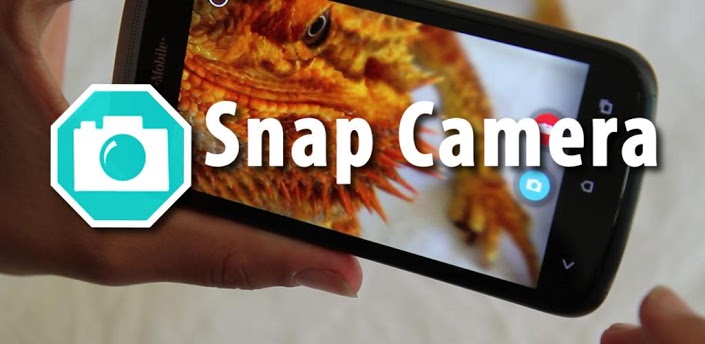
Snap Camera HDR v3.4.1 Apk Download Free
Requires Android:2.3.3 and Up | 5 MB |
A Whole New Camera Experience
App Review:
Take pictures and record video with a single click, no cluttered preview screen, just the two buttons you really need.
It has a simple, powerful user interface. Touch to focus, pinch to zoom, swipe to review and long press for photo settings. The photo controller includes settings for colour, contrast and sharpness (if supported by the hardware). The additional settings menu gives you access to: Picture and Video Size, Scene mode, Self Timer, Burst Mode, Time Lapse, Still and Video Focus Modes, JPEG Quality, Effects, ISO and Anti-banding.
The powerful photo editor lets you add colour effects, borders, crop, rotate, mirror and straighten. You can also choose image effects, histogram modification and vignette. Undo an effect at any time from the history menu.
Share an image with any other app such as Facebook or Google+ by clicking on the share icon.
Snap works best on newer phones but will still run on older models.
The extra settings on the controller menu are only available on phones that support them. Most phones based on Qualcomm hardware do support these options but most others do not.
Camera apps are notoriously difficult to make compatible with all hardware. If it doesn’t work, please don’t rate the app badly, let us know and we will try to fix it.
Please post bugs and suggestions on the XDA thread for this app by clicking on “Visit Developer’s Website” below.
Check out our great video to see Snap in action.
What’s in this version :
• Fixes for Galaxy S4 and new Nexus 7
• Allow hiding of albums in the gallery
• Improved HDR registration
• New focus mode icons for the controller
• New setting to keep HDR intermediate shots (enabled by default)
• New setting to show a ghost image of the last shot in the preview (useful for stop-
motion)
• New setting to refocus between HDR shots (only needed on a few devices)
• Settings to allow customisation of two controller icons
• New UI is now the default
• New icons
If you face any problem to download, please inform us by comment.
Here is the link for download............
DOWNLOAD>>

Camera FV-5 v1.51 Apk Download Free
Requires Android:2.2 and up | 1.4 MB |
Camera FV-5 is a professional camera application for mobile devices, that puts DSLR-like manual controls in your fingertips.
App Review:
• All photographic parameters are adjustable and always at hand: exposure compensation,
ISO, light metering mode, focus mode, white balance and program mode.
• DSLR-like viewfinder display: see exposure time, aperture and stops display with EV and
bracketing settings.
• Full fledged exposure bracketing: from 3 to 7 frames, unlimited stops spacing, plus
custom EV shifting.
• Built-in intervalometer: make stunning timelapses (even bracketed/HDR timelapses) and
time-controlled picture series.
• Program and Speed-priority modes.
• Long exposure support: take beautiful night photos and light trails with long exposure
times up to 60 seconds*.
• JPEG as well as RAW (PNG**) image formats for lossless photo capturing, perfect for
post-processing.
• EXIF and XMP sidecar metadata support.
• Self timer for delayed shooting.
• Autofocus, macro, touch-to-focus*** and infinity focus modes, plus a focus lock switch
(AF-L).
• In background photo developing and processing allows a smooth, uninterrupted camera
operation.This camera application completely avoids scene modes, instead you get full
manual control over all photographic parameters, just like you do with a reflex camera,
so you can ultimately control every aspect of the picture, and leave the post-processing
to the computer. So after your DSLR, you will never miss a photo opportunity again,
being able to capture it with the closer sensation to your DSLR as possible.
What’s in this version:
For cameras:
• Completely new shutter speed selection dialog.
• Aperture priority.
• Full manual exposure mode.
• Realtime exposure preview on the viewfinder.
• Smooth optical zoom control with the zoom wheel.
• Additional flash modes available depending on the device.
Other changes:
• New: added Samsung Galaxy S4 for live exposure and ISO metering.
• Fixed: bad exposure compensation mapping on some Samsung Galaxy S III and S4 devices.
• Fixed: now flash settings are back on Galaxy Ace phones.
If you face any problem to download, please inform us by comment.
Here is the link for download............
DOWNLOAD>>
Paper Camera v3.5.1 Apk
Paper Camera v3.5.1 Apk Download Free
Requires Android :2.1 and up | 10 MB |
See the world through a novel, original, stylish and captivating lens.Real time cartoon and painting effects displayed on your camera feed! See the world through a new, original, stylish and captivating lens, have a wonder in your own home and discover how cool is now your world in cartoon!
App Review:
This is the ultimate collection of cartoon/sketch/comic book/half tone/noir/neon and many other effects painted directly in your camera, no more boring post-effects, it’s all real time, you simply won’t stop wandering, wherever you are, having a look at things and cartoon-ize them!
You can wave your phone around and see the world change before your eyes, take pictures using any of the stylish cartoon effects or apply them to your existing photos.
REFUNDS:
Please contact us if you have any issues with this App (we can’t reply to Android Market comments), we will give you a refund and later notify you once we’ve fixed the problem.
CURRENTLY WORKING ON:
● Making video recording smoother and available on more devices
● Front facing camera
● Higher res pictures
FAQ:
● I’ve purchased the App, but I can’t download it.
Please check that you have good Internet connectivity and retry. If the problem persists, please contact us and we will provide a solution.
● I have a Samsung device, and the gallery doesn’t open sometimes.
Please allow a couple of seconds after taking a picture before clicking the gallery button, on Samsung devices the gallery can’t be open while running the media scanner.
● Why do you require the NFC permission?
To support Android Beam. You can now beam Paper Camera to another device and it will either redirect the receiver to the Android Market or launch Paper Camera with the same settings (requires Android 4.0).
VIDEO FAQ:
● How can I play Paper Camera videos on my PC?
Using any WebM player. We recommend Firefox or Chrome, however you might be able to use Windows Media Player or Internet Explorer if you install the right plugins.
● I can’t play Paper Camera videos on my standard device gallery.
You require Android 4.0 or higher for this to work, on older versions you can use the in-app video player.
● I can’t record video with Paper Camera on my new device, why?
We’ve only enabled this feature on devices that we know can support it properly. However you can still try using unofficial video recording support.
● How do I enable unofficial video recording support?
Touch the top-left of the screen for at least a second then release. The camcorder icon will appear and you will be able to record video. Let us know if this works properly on your device and we will officially enable it in future versions. Please note that you will have to be running Android 2.3.3 and have support for NEON instructions for this to work at all.
● I’ve unlocked unofficial video support but I cannot playback my videos in Paper Camera, why?
This is a known limitation on some devices, there are 3 workarounds for this:
● You can playback videos on your PC.
● You can use MX Video Player, if you enable software mode.
● Hopefully when your device will receive a 4.0 upgrade this issue will be fixed.
What’s in this version :
● Fix for the new Nexus 7
If you face any problem to download, please inform us by comment.
Here is the link for download............


