
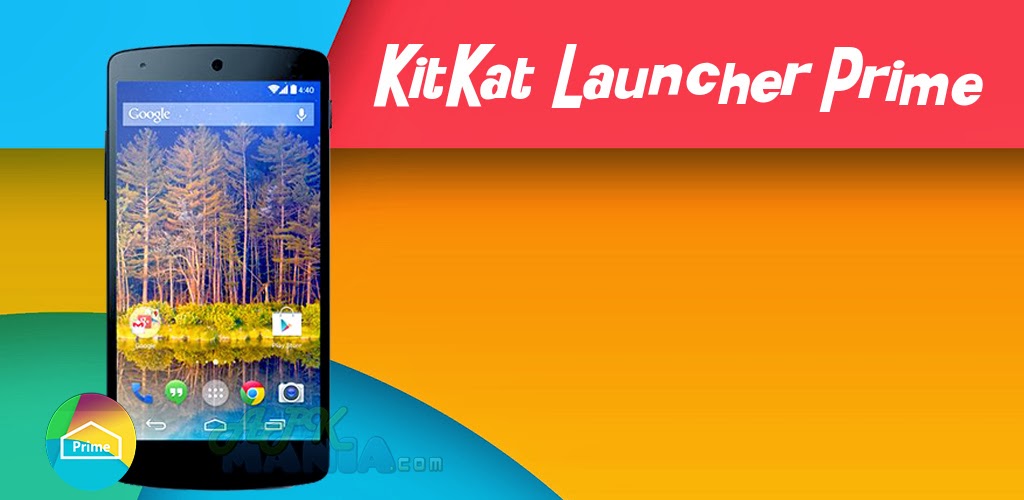
KitKat Launcher Prime v1.6.1 APK
Requires Android: 4.0.3 and up | 16 MB |
Android 4.4 (KitKat) Launcher!
KitKat Launcher Prime
• Simple, Fast and Smooth!• Latest Android theme and experience.
• Highly customizable homescreen.
• Support icon packs. ( Nova/Apex icon pack fully compatible)
• Support translucent top and bottom bar for android 4.4 and some devices with native
support.
• Nexus 5 wallpapers.
• Supported android 4.0 or above.
For those facing crash issue after update, please fully uninstall the app, and install again.
Quick Start
• To enter edit mode , long-press the empty space of screen.
• To add new screen , long-press on an icon and drag it to the right border of screen.
• To re-order screens, long-press the screen in edit mode and drag it to left/right screen
border.
ToDo:
• More customizable settings
• More transitions
• Support icon packs
What's in this version : (Updated : Dec 7, 2013)
• Fix several gesture and quick action issues+ Fix crash issues.
• Support Gesture
• Desktop screen and App drawer transitions
• Fix dock icons disappear issue
DOWNLOAD>> DOWNLOAD>>
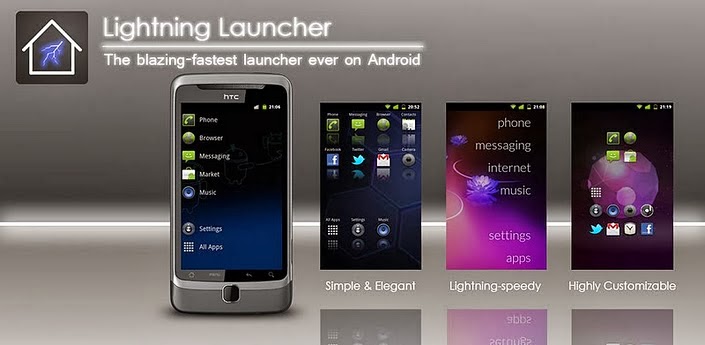
Lightning Launcher eXtreme v8.7.1 APK
Requires Android: 2.0 and up | 500 KB |
This is a super-charged, "All In One" version of Lightning Launcher. LL is a fast, light and extremely customizable home screen replacement for Android!
Lightning Launcher eXtreme
Lightning Launcher eXtreme is the launcher of choice for people who wants a butter smooth, light on memory and tailor-made home screen replacement.This is the ultimate bundle, no compromise, still as fast and light as LL, but simply the most powerful and configurable launcher for Android.
LLX is a vitamined version of LL, with the following additions:
• Enhanced app drawer, with the ability to create folders, hide apps, change the style in all
ways, view running apps, most frequently used, recently installed, direct shortcuts to kill
or uninstall apps... and more !
• Support for configuring up to 100 distincts desktops, with customizable label and icon, for
the purpose of managing multiple independant setups (personal, professional, for kids,
etc.)
• Built-in configurable messaging notifications (highly customizable badge for sms, missed
calls, unread gmails)
• App killer available from everywhere: long tap on an icon, select kill, et voilà.
• Built-in per desktop wallpaper, available in the app drawer too.
Things to be aware of (please read this notice):
• With its wide set of options and switches, Lightning is one of the most customizable
launcher, albeit perhaps not the easiest to configure yet ! Agreed, as most powerful
tools, Lightning has a learning curve. But isn't that a small price to pay to get the most
exciting and unique home screen ;-) Join the community to get tips and tricks !
• LLX is a superset of LL and fully replace it: on first use it will import all data from LL, and
LL can safely be uninstalled. Avoid using both at the same time, this is confusing as apps
will look exactly the same !
• LLX no longer supports obsolete LL widgets. The reason is that these features are now
built in: plugins are not needed anymore. They still work but I won't answer requests
about them.
• The obsolete Screen Switcher Widget (SSW) will continue to work when imported from an
existing LL setup, however it's use is strongly discouraged because all Screen Switcher
features are now included in LLX. The old Screen Switcher widget configuration screen is
not supported anymore and will not work in conjunction with LLX own configuration
screen.
What's in this version : (Updated : Nov 19, 2013)
• minor bug fixes
• add folder placement options as well as new animations (this is an easy way to create side
bars)
• add open folder action
• add an option to close other folders when opening a new one
• add support for nine patches (boxes and folder windows)
• better backup/restore screen
• add support for label selection in Unread Gmail Dynamic Text
DOWNLOAD>>
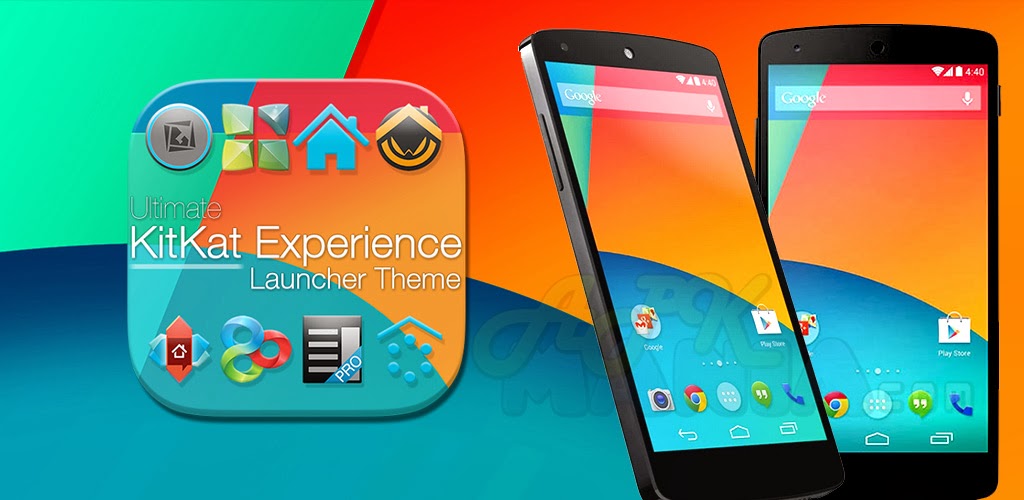
KitKat 4.4 Launcher Theme v1.96 APK
Requires Android: 2.3 and up | 17 MB |
Ultimate KitKat 4.4 Experience Launcher Theme is a brand new multi-launcher theme designed for all Android launchers!
KitKat 4.4 Launcher Theme
Ultimate KitKat 4.4 Experience Launcher Theme is a brand new multi-launcher theme designed for all Android launchers, inspired by forthcoming Android 4.4 OS and the latest Nexus 5 leaks!Get the latest Android OS look with the most realistic Android 4.4 Theme on Google Play, featuring fully custom-designed icons, wallpaper, dock bars, folders, and much more!
Featuring FULL graphics support on Nova Launcher, Smart Launcher, Apex Launcher, TSF Shell, Next Launcher 3D, GO Launcher EX, ADW Launcher, ADWLauncher EX, Holo Launcher, SS Launcher, Atom Launcher, and many more!
Features:
• KitKat Experience App Helper - Easy-to-use interface to automatically apply theme on
your favorite launcher, with info and help for optional Android launchers, includes KitKat
Experience wallpaper manager, automatically send any missing icon requests, view all
included dock bars, icons, icon names, and much more!
• KitKat Experience Icon Pack(s) - Over 525+ Android 4.4 Kit-Kat inspired icons, completely
custom-designed icons inspired by latest Nexus 5 and Android 4.4 releases! Feel free to
use built-in icon requester included in app or e-mail any requests you may have.
• KitKat Experience Dock Bar Icons - Bonus icons include white or dark icons specifically for
home screen dock bars, allowing you to customize this theme exactly to your tastes!
• Ultimate Android KitKat Wallpaper Manager - Perfect wallpaper management system with
no fragmentation, smart wallpaper selector adds only the best wallpaper sizes to perfectly
match your device. 20 different designs to choose from, designed in multiple sizes (over
180 wallpapers in all), to perfectly fit the highest resolution tablets to the lowest
resolution phones with full HD graphics.
• Cloud-based wallpaper picker allows you to directly apply or download wallpaper designs to
your device, giving you more space and freedom to use 3rd party wallpaper software (such
as Gallery to selectively crop or even add live wallpaper effects).
• KitKat Experience Clock Widget - Know when to have a break with the custom-designed
Holo KitKat style clock widget, included in the theme and readily available in your widget
pack.
• KitKat Experience Dock Bar Pack - 40 different delicious KitKat style dock bars to choose
from in a variety of styles and additional color options.
• FULL KitKat Experience Launcher Graphics - Includes FULL supporting launcher graphics,
such as folder backgrounds, menus, launcher icons, action bars, memory gauges, media
systems, and much more, specially designed for each individual launcher!
DIRECTIONS & INSTRUCTIONS:
• This is a theme (like a skin), you must apply it using built-in app, or you can apply it using
your preferred supporting homescreen / launcher app settings (see support website for
full instructions).
• This theme fully supports Apex Launcher, GO Launcher EX / HD, Nova Launcher,
ADWLauncher EX / ADW.Launcher, Next Launcher 3D, Action Launcher Pro, TSF Shell*,
Atom Launcher*, Holo Launcher HD*, Smart Launcher* GSLTHEME, SS Launcher, and more!
• You must manually apply theme on these launchers, full instructions in app and on support
website.
To change wallpaper:
• Press Menu > Wallpaper > Scroll to KitKat Experience Wallpaper > Select wallpapers > Apply
To add KitKat Experience Clock Widget:
• Press Menu > Widgets > Scroll to KitKat Experience Clock > Select and resize using your
launcher
What's in this version : (Updated : Nov 18, 2013)
• Fixed supporting graphics/default theme settings for ADW Launcher and ADW EX.
• New icon requests added, now over 600+ custom icons included, more coming soon!
• GO Launcher EX / HD dedicated version now available here: http://goo.gl/vYAuu3
• Added new icon requests added, now over 575+ custom icons included!
• Updated icon designs for new Facebook Messenger and Google+ Photos icons.
• Updated default ADW Launcher App Drawer icon.
• Six new wallpaper designs added, featuring multiple colors (Flagship, KitKat 4.4, Nexus)
and styles (Flat/3D) to choose from with more coming soon!
• Icon updates and new icon requests added. Now over 525+ custom KitKat 4.4 Experience
icons included with more coming soon!
• Added assets fix needed for Atom Launcher themes.
DOWNLOAD>> DOWNLOAD>>
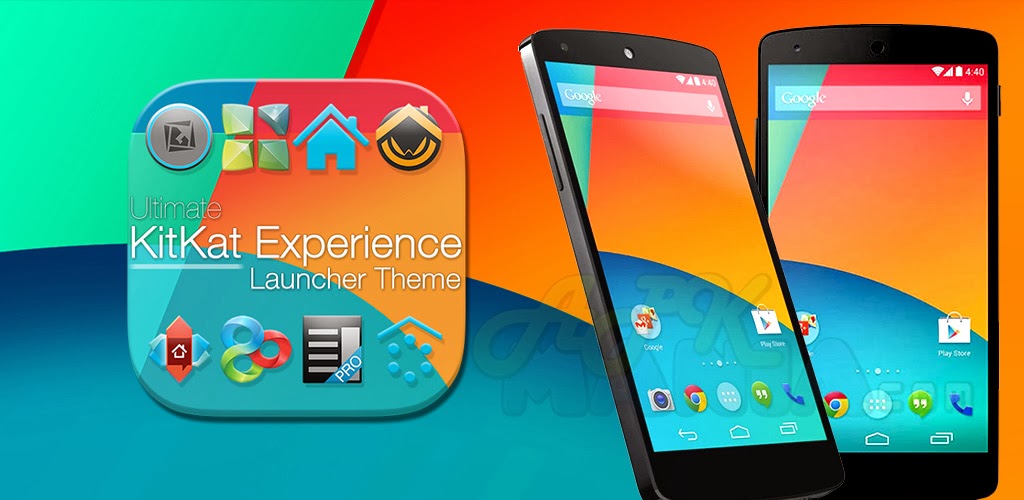
KitKat 4.4 Launcher Theme v1.93 APK
Requires Android: 2.3 and up | 17 MB |
Ultimate KitKat 4.4 Experience Launcher Theme is a brand new multi-launcher theme designed for all Android launchers!
KitKat 4.4 Launcher Theme
Ultimate KitKat 4.4 Experience Launcher Theme is a brand new multi-launcher theme designed for all Android launchers, inspired by forthcoming Android 4.4 OS and the latest Nexus 5 leaks!Get the latest Android OS look with the most realistic Android 4.4 Theme on Google Play, featuring fully custom-designed icons, wallpaper, dock bars, folders, and much more!
Featuring FULL graphics support on Nova Launcher, Smart Launcher, Apex Launcher, TSF Shell, Next Launcher 3D, GO Launcher EX, ADW Launcher, ADWLauncher EX, Holo Launcher, SS Launcher, Atom Launcher, and many more!
Features:
• KitKat Experience App Helper - Easy-to-use interface to automatically apply theme on
your favorite launcher, with info and help for optional Android launchers, includes KitKat
Experience wallpaper manager, automatically send any missing icon requests, view all
included dock bars, icons, icon names, and much more!
• KitKat Experience Icon Pack(s) - Over 525+ Android 4.4 Kit-Kat inspired icons, completely
custom-designed icons inspired by latest Nexus 5 and Android 4.4 releases! Feel free to
use built-in icon requester included in app or e-mail any requests you may have.
• KitKat Experience Dock Bar Icons - Bonus icons include white or dark icons specifically for
home screen dock bars, allowing you to customize this theme exactly to your tastes!
• Ultimate Android KitKat Wallpaper Manager - Perfect wallpaper management system with
no fragmentation, smart wallpaper selector adds only the best wallpaper sizes to perfectly
match your device. 20 different designs to choose from, designed in multiple sizes (over
180 wallpapers in all), to perfectly fit the highest resolution tablets to the lowest
resolution phones with full HD graphics.
• Cloud-based wallpaper picker allows you to directly apply or download wallpaper designs to
your device, giving you more space and freedom to use 3rd party wallpaper software (such
as Gallery to selectively crop or even add live wallpaper effects).
• KitKat Experience Clock Widget - Know when to have a break with the custom-designed
Holo KitKat style clock widget, included in the theme and readily available in your widget
pack.
• KitKat Experience Dock Bar Pack - 40 different delicious KitKat style dock bars to choose
from in a variety of styles and additional color options.
• FULL KitKat Experience Launcher Graphics - Includes FULL supporting launcher graphics,
such as folder backgrounds, menus, launcher icons, action bars, memory gauges, media
systems, and much more, specially designed for each individual launcher!
DIRECTIONS & INSTRUCTIONS:
• This is a theme (like a skin), you must apply it using built-in app, or you can apply it using
your preferred supporting homescreen / launcher app settings (see support website for
full instructions).
• This theme fully supports Apex Launcher, GO Launcher EX / HD, Nova Launcher,
ADWLauncher EX / ADW.Launcher, Next Launcher 3D, Action Launcher Pro, TSF Shell*,
Atom Launcher*, Holo Launcher HD*, Smart Launcher* GSLTHEME, SS Launcher, and more!
• You must manually apply theme on these launchers, full instructions in app and on support
website.
To change wallpaper:
• Press Menu > Wallpaper > Scroll to KitKat Experience Wallpaper > Select wallpapers > Apply
To add KitKat Experience Clock Widget:
• Press Menu > Widgets > Scroll to KitKat Experience Clock > Select and resize using your
launcher
What's in this version : (Updated : Nov 12, 2013)
• Added new icon requests added, now over 575+ custom icons included!
• Updated icon designs for new Facebook Messenger and Google+ Photos icons.
• Updated default ADW Launcher App Drawer icon.
• Six new wallpaper designs added, featuring multiple colors (Flagship, KitKat 4.4, Nexus)
and styles (Flat/3D) to choose from with more coming soon!
• Icon updates and new icon requests added. Now over 525+ custom KitKat 4.4 Experience
icons included with more coming soon!
• Added assets fix needed for Atom Launcher themes.
• New KitKat wallpaper nearly complete, coming next update!
DOWNLOAD>> DOWNLOAD>>
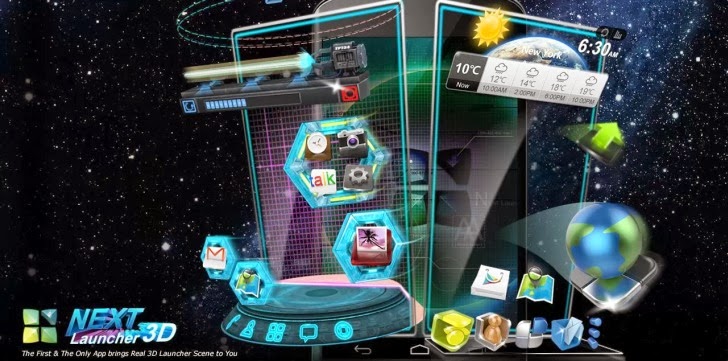
Next Launcher 3D v2.03.1 APK
Requires Android : 2.2 and up | 10.5 MB |
Next Launcher, designed by GO Dev Team, is officially released now!
Next Launcher 3D
Next Launcher is a new launcher application which is full of glorious 3D elements and dynamic effects. Fancy 3D visual elements, gorgeous transition effects and humanized gestures bring you a unique and splendid operation experience and visual enjoyment.Next Launcher 3D Features:
• Various operation for icons: icons support rotation, reset, select, align and so on.Operation is easy and fantastic.
• Unlimited screen layout: placing icons or widgets randomly which forms your own home
screen.
• Stereoscopic screen preview: lots of screen display effects, dazzling animation of screen
switching about adding or deleting screen.
• Quick screen management: adding different kinds of elements in screen edit including
application icons, folders and widgets. It’ll support changing wallpapers and themes
soon.
• Rotatable dock: inverting upward or downward the Dock can quickly switch among
home screen, screen edit and screen preview.
• Powerful app drawer: icons can be arranged by names or by time, and folders can be
created by overlaying icons. Batch mode and operation of adding apps to screen are also
available.
• Beautiful scrolling effects: a variety of app drawer scrolling effects that provide a
distinctive screen switching experience.
• Fancy 3D widgets: 3D widgets that are based on Next Launcher are coming soon!
Tips:
• Please make sure your device has installed Google Play.
• Phone performance:Android 2.3.3 and up; Dual-core models is better.
• Suggestion:Watch the video of Next Launcher first, to know about the cool operation of
the product.
Notice: We suggest users which use Galaxy Nexus don't remove the Menu icon.
What's in this version: (Updated : Sep 30, 2013)
• (3D) Support hide apps in app drawer
• (3D) Supoort change the size of icon label on homescreen (Click Menu->Preference-
>Screen settings)
• (New) Transparent status bar (Support only some of Samsung and Sony devices. Click
Menu->Pregerences->Screen settings)
• (New) More Next shortcuts
• (New) Support icon label displaying on home screen in 3D mode (in 3D mode, Preferences -
> Screen settings -> DO NOT select hide icon label)
• (Optimized) Icon resize in 3D mode supports 4*4 widgets
• (New) Hyper fluency (Classic mode -> Preferences -> Advanced settings)
• Note: Make sure all the Next widgets are upgraded to the latest versions.
• (New) Auto clean up (Classic mode -> Preferences -> Advanced settings)
DOWNLOAD>> DOWNLOAD>>
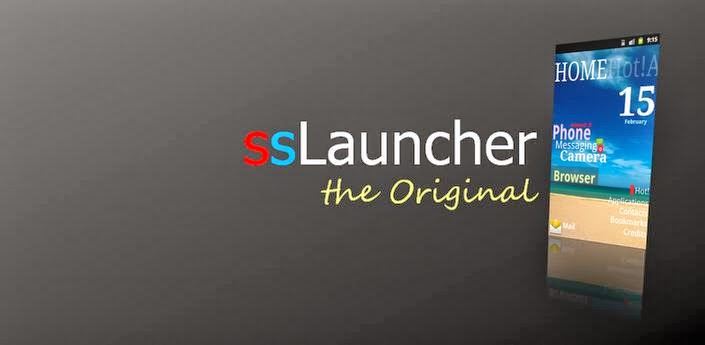
ssLauncher the Original v1.13.1 APK
Requires Android:2.2 and up | 1.2 MB |
More freedom to your device !
ssLauncher the Original :
More freedom to your device!'ssLauncher the Original' is implementing all features of ssLauncher(free version). Additionally, this includes more features, some of which will be applied to the free version with approximately monthly intervals.
ssLauncher the Original Features :
• all of ssLauncher• copy & paste of shortcuts
• crop icons and images
• additional page transition animations
• support folder in application drawer (planned) (*)
What's in this version: (Updated : Sep 27, 2013)
• fixed force close when adding apps in app group page
• fixed some bugs
• supports gestures for the shortcut
• added 'Invisible when locked' option for shortcut (Click/Gesture still works even when
hidden.)
• new dynamic text: notification counter, notification message, battery temperature
• supports notification counter badge for app drawer/group page
• added 'Hide titles' option for app drawer/group page
• renewed bookmark pages
• improved UI
• fixed some bugs and optimized
DOWNLOAD>> DOWNLOAD>>
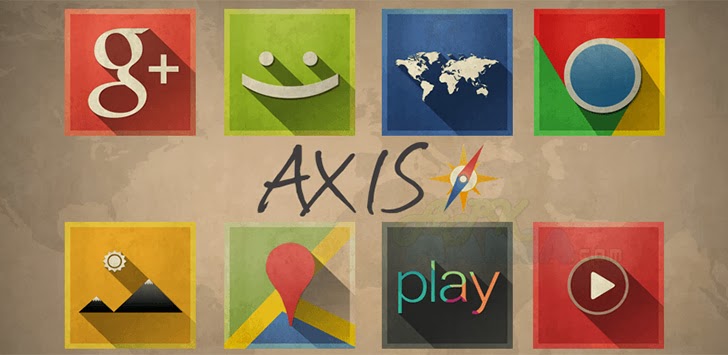
Axis - GO Apex Nova Theme v2.1.2 APK
Requires Android: 2.2 and up | 17 MB |
Axis is a launcher theme that features a beautiful mix of minimal, flat, and vintage styles!
Axis - GO Apex Nova Theme:
Axis is a launcher theme that features a beautiful mix of minimal, flat, and vintage styles. Each icon has been handcrafted to ensure the highest level of detail and complete uniformity within the pack. All icons included are in full HD resolution of 144 x 144 pixels. To apply the icons you'll need one of the supported launchers that are listed above.Axis - GO Apex Nova Them Features:
• 775+ HD Icons (many more to come!)• 6 HD wallpapers with wallpaper chooser
• Multiple launcher support (see below)
• Weekly updates every Friday
• Theme dashboard with several features (Including Request Icons and New Icons)
• Supported Launchers:
• Nova Launcher
• Apex Launcher
• Action Launcher
• ADW Launcher
• GO Launcher
• Next Launcher 3D (Manual apply only. Jellybean users please email us for a fix.)
• TSF Shell
• Holo Launcher
• Unicorn (Icon Themer)
• Desktop Visualizer
• May work with other launchers and applications but this is not guaranteed.
What's in this version : (Updated : Sep 27, 2013)
• 15 new icons and activity fixes
DOWNLOAD>> DOWNLOAD>>
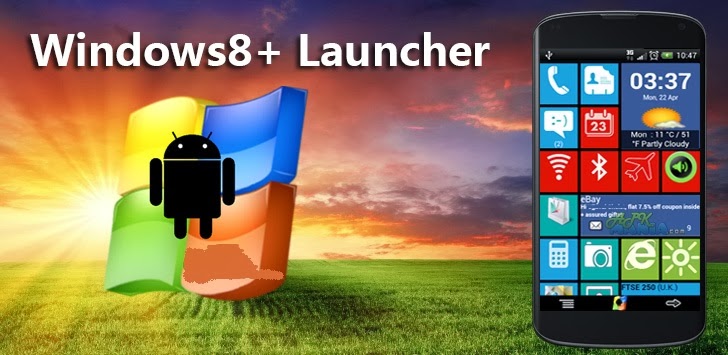
Windows8 / Windows 8 +Launcher v1.9.2 APK
Requires Android:2.2 and up | 6 MB |
Windows8+ is Home launcher application which tries to provide Windows8 mobile like experience on your android device!
Windows8 / Windows 8 +Launcher Features:
• Live tiles for gmail, news, weather, twitter, calendar , etc with many configurationoptions
• Drag and drop tile groups to re-order/change the position of tiles.
• Change icon/tile icon size using Menu >> Icon Size
• Select the preferred country for news using Menu >> Prefs >> News Country and for stock
market using Menu >> Prefs >> Stock Market
• Power Control widget to on/off Wifi, Airplan mode, Bluetooth, ring mode, screen
brightness, etc.
• Click on icon/tile will bring up (launch) the associated app, (This application will try to
associate most common applications like dialer, messsage, google play, etc) if you are
clicking first time and no application is associated then list of all installed apps will be
opened and you can associate any app of your wish to this tile.
• Long Click on icon/tile to change the color, icon, application associated to tile.
Following 3 options are available\n * Associate App - Change the launching app while
keeping the same icon on home screen.\n * Change Color - Change background color of
tile.\n * Change App - Change the launching app and icon will be replaced with app
default icon on home screen.
• Additional icons/tiles style which can be customized as per your need. Add/remove tiles
from Menu >> Tiles
• Weather Service : Based on your current location, local weather details are available.
• Stock Market updates : Select your preferred Stock Market using Menu >> Misc >> Stock
Market
What's in this version : (Updated : Sep 20, 2013)
• Star contacts live tile - add upto 8 star/favorite contacts into single tile for quick and
easy access (Disable Clock or weather live tile from Prefs and long press to select "Star
Pin". This feature will be extended to all the tiles soon)
• "Flip" tile enhancement with 360° flip
DOWNLOAD>> DOWNLOAD>>

Lustre (adw nova apex icons) v2.0.0 APK
Requires Android:2.2 and up | 2 MB |
Lustre brings vibrant color and crisp imagery to your homescreens. Check it out!
Lustre (adw go apex theme):
This is a launcher theme (for ADWEX, ADW.Launcher, LP, GO & more!) and will not alter the look of your status bar, notifications or anything else. It WILL change the graphics and icons for many popular launcher replacements!Features:
• New graphics for dock bar (ADW & Go)!• Over 150+ custom icons!
• Themed search widget!
• Custom docks!
• Wallpaper gallery included!
• ADW Theme support
• Go Launcher EX theme support
• Launcher Pro theme support (limited to icons)
• Support for Desktop Visualizer
• Support for Folder Organizer
Notes:
• ADW users need to manually change the app drawer icon on their homescreen. It can not
be done automatically. Long-press or double-tap, choose edit. Select the icon and then
choose ADWTheme IconPacks. Choose Lustre and then pick the icon of your choosing.
We've included a couple!
• More icons are due to be added over time. Do you see missing icons in your app drawer?
Please email us with requests. We want you to be satisfied with your purchase and will
work to add new icons for whatever we have missed.
• Regarding 'MovetoSD' availability: If the app is moved to SD Card, you risk the custom
icons not loading properly because of how the system loads the SD card OR the theme
not being active after a device restart.
• Launcher Pro users may need to wipe data if they are having 'Force Close' issues. Phone
Settings > Applications > Manage Applications, choose Launcher Pro, select 'Clear Data'
and then try to load the icons again.
• Icons may also work with Apex Launcher, Nova Launcher, mxHome, Launch-X, Crazy
Home Lite, dxTop Lite, Open Home paid, Open Home free, VTL Launcher, Circle
Launcher Paid and more!
• If you are having trouble - EMAIL US! Seriously, send us an email and help us to help you.
If you want to request icons to be created, send an email for that as well.
DESIGNED FOR XHDPI. YOUR RESULTS MAY VARY WITH OTHER SCREEN RESOLUTIONS
What's in this version : (Updated : Sep 30, 2013)
• New dashboard, includes icon searching
• Wallpapers are now stored in cloud (INTERNET.PERMISSION)
• Save walls to storage for lockscreen use
• The Apply page is now smarter and more robust
• Icons are sorted, includes a "NEW" category for recent additions
• Connect with us via social network links
• Help section, to be expanded with more video tutorials
• Fixed numerous activity issues
DOWNLOAD>> DOWNLOAD>>
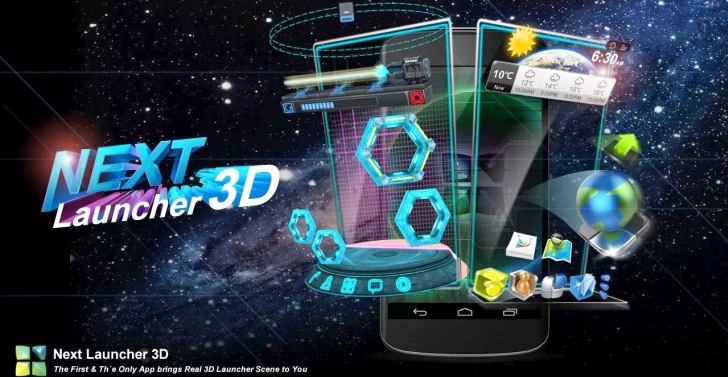
Next Launcher 3D v2.02 APK
Requires Android : 2.2 and up | 12.5 MB |
Next Launcher, designed by GO Dev Team, is officially released now!
Next Launcher 3D
Next Launcher is a new launcher application which is full of glorious 3D elements and dynamic effects. Fancy 3D visual elements, gorgeous transition effects and humanized gestures bring you a unique and splendid operation experience and visual enjoyment.Next Launcher 3D Features:
• Various operation for icons: icons support rotation, reset, select, align and so on.Operation is easy and fantastic.
• Unlimited screen layout: placing icons or widgets randomly which forms your own home
screen.
• Stereoscopic screen preview: lots of screen display effects, dazzling animation of screen
switching about adding or deleting screen.
• Quick screen management: adding different kinds of elements in screen edit including
application icons, folders and widgets. It’ll support changing wallpapers and themes
soon.
• Rotatable dock: inverting upward or downward the Dock can quickly switch among
home screen, screen edit and screen preview.
• Powerful app drawer: icons can be arranged by names or by time, and folders can be
created by overlaying icons. Batch mode and operation of adding apps to screen are also
available.
• Beautiful scrolling effects: a variety of app drawer scrolling effects that provide a
distinctive screen switching experience.
• Fancy 3D widgets: 3D widgets that are based on Next Launcher are coming soon!
Tips:
• Please make sure your device has installed Google Play.
• Phone performance:Android 2.3.3 and up; Dual-core models is better.
• Suggestion:Watch the video of Next Launcher first, to know about the cool operation of
the product.
Notice: We suggest users which use Galaxy Nexus don't remove the Menu icon.
What's in this version: (Updated : Sep 13, 2013)
• (3D) Support displaying icon labels on homescreen
• (3D) Improve widgets resizing experience
• (New) Hyper fluence (Menu->Preference->Advanced settings)
• (New) Auto clean up (Menu->Preference->Advanced settings)
Here is the link for Download............
DOWNLOAD>>

ssLauncher the Original v1.12.17 APK
Requires Android:2.2 and up | 1.2 MB |
More freedom to your device !
ssLauncher the Original
More freedom to your device!'ssLauncher the Original' is implementing all features of ssLauncher(free version). Additionally, this includes more features, some of which will be applied to the free version with approximately monthly intervals.
ssLauncher the Original Features :
• all of ssLauncher• copy & paste of shortcuts
• crop icons and images
• additional page transition animations
• support folder in application drawer (planned) (*)
What's in this version: (Updated : Sep 13, 2013)
• fixed the bug for some image selector
• fixed the bug that some 'other' shortcuts do not work
• applys the initial size properly when selecting a shortcut style
• works 'screen off' properly when notification panel open in full screen
• fixed some bugs
DOWNLOAD>>

Windows 8 +Launcher v1.9 Apk
Requires Android:2.2 and up | 6 MB |
Windows8+ is Home launcher application which tries to provide Windows8 mobile like experience on your android device!
Windows8 / Windows 8 +Launcher Features:
• Live tiles for gmail, news, weather, twitter, calendar , etc with many configurationoptions
• Drag and drop tile groups to re-order/change the position of tiles.
• Change icon/tile icon size using Menu >> Icon Size
• Select the preferred country for news using Menu >> Prefs >> News Country and for stock
market using Menu >> Prefs >> Stock Market
• Power Control widget to on/off Wifi, Airplan mode, Bluetooth, ring mode, screen
brightness, etc.
• Click on icon/tile will bring up (launch) the associated app, (This application will try to
associate most common applications like dialer, messsage, google play, etc) if you are
clicking first time and no application is associated then list of all installed apps will be
opened and you can associate any app of your wish to this tile.
• Long Click on icon/tile to change the color, icon, application associated to tile.
Following 3 options are available\n * Associate App - Change the launching app while
keeping the same icon on home screen.\n * Change Color - Change background color of
tile.\n * Change App - Change the launching app and icon will be replaced with app
default icon on home screen.
• Additional icons/tiles style which can be customized as per your need. Add/remove tiles
from Menu >> Tiles
• Weather Service : Based on your current location, local weather details are available.
• Stock Market updates : Select your preferred Stock Market using Menu >> Misc >> Stock
Market
What's in this version : (Updated : Sep 6, 2013)
• Add widget on tile (defect fixes).
• Fix for application crash defect
• "Flip" tile enhancement with unread count for gmail and message(SMS)
Here is the link for Download........................
DOWNLOAD>>
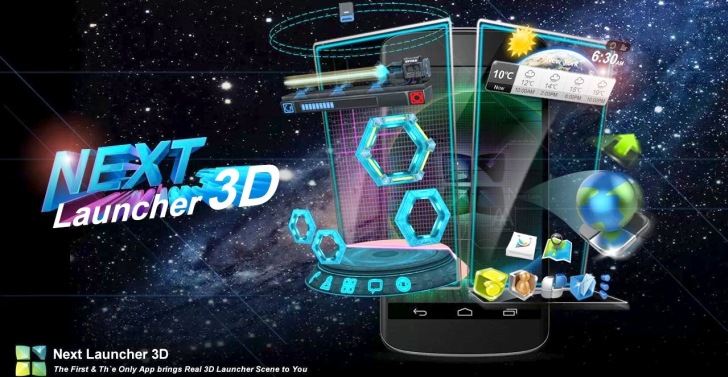
Next Launcher 3D v2.01 APK
Requires Android: 2.3.3 and up | 177 MB |
Next Launcher, designed by GO Dev Team, is officially released now!
Next Launcher 3D:
Next Launcher is a new launcher application which is full of glorious 3D elements and dynamic effects. Fancy 3D visual elements, gorgeous transition effects and humanized gestures bring you a unique and splendid operation experience and visual enjoyment.Next Launcher 3D Features:
• Various operation for icons: icons support rotation, reset, select, align and so on.Operation is easy and fantastic.
• Unlimited screen layout: placing icons or widgets randomly which forms your own home
screen.
• Stereoscopic screen preview: lots of screen display effects, dazzling animation of screen
switching about adding or deleting screen.
• Quick screen management: adding different kinds of elements in screen edit including
application icons, folders and widgets. It’ll support changing wallpapers and themes
soon.
• Rotatable dock: inverting upward or downward the Dock can quickly switch among
home screen, screen edit and screen preview.
• Powerful app drawer: icons can be arranged by names or by time, and folders can be
created by overlaying icons. Batch mode and operation of adding apps to screen are also
available.
• Beautiful scrolling effects: a variety of app drawer scrolling effects that provide a
distinctive screen switching experience.
• Fancy 3D widgets: 3D widgets that are based on Next Launcher are coming soon!
Tips:
• Please make sure your device has installed Google Play.
• Phone performance:Android 2.3.3 and up; Dual-core models is better.
• Suggestion:Watch the video of Next Launcher first, to know about the cool operation of the product.
Notice: We suggest users which use Galaxy Nexus don't remove the Menu icon.
What's in this version: (Updated : Sep 6, 2013)
• (New) Home button gesture(Next key->Gestures)
• (New) Home-dock (Click Menu->Preferences->Dock settings)
• (3D scene) Change the size of widgets
Here is the link for download...............
DOWNLOAD>>

Nova Launcher Prime v2.2.2 APK
Requires Android: 4.0 and up | 2.3 MB |
Highly customizable, performance driven, home screen replacement for Android 4.0+!
Nova Launcher Prime Features include:
Color Themes
Change the ascent color of the launcher, full color picker support
Icon Themes
Apply ADW or Go launcher icon themes to all app icons
Scrollable Dock (for Tablets and Phones)
Keep all your favorite apps on the dock, with up to 7 icons per page and up to 3 pages.
Customizable App Drawer:
Transparency
Scrolling style, choose between horizontal paginated or vertical continuous
Scroll Effects
Enjoy eye candy when scrolling your desktop and drawer. Effects include Cube and Cardstack and more for Prime users.
Infinite Scroll
Never be far from your favorite page, loop through your desktop continuously.
Folder Icons
You can chose a background, preview style or even replace the whole icon.
Backup/Restore
Export your settings and layout before a wipe to quickly get back up and running.
Widgets in dock
Add any 1x1 widget to the dock
Widget Overlapping
Overlap on resize or placement, long-press to send to back or bring to front
Bulk Add
Add multiple apps to the desktop or a folder at once
Activities shortcut
Select hidden activities from your favorite apps
Nova Launcher Prime Features (Paid version)
Nova Launcher Prime unlocks the following features in Nova Launcher:
Drawer Groups:
• Folders in App Drawer
• Unlimited custom tabs
• Organize apps into tabs and folders in the app drawer
Gestures
Quickly start Nova Actions or Apps from gestures on the desktop, such as pinching, swiping or two-finger swiping.
Hide Apps
Keep a clutter free drawer by hidding never used apps.
Dock Swipes
Get more use out of your dock apps by setting swipe-actions
Unread Counts
Never miss an email. Unread count badges for SMS, Missed calls and Gmail. Counts show in the dock, desktop, drawer and folders.
What's in this version : (Updated : Sep 4, 2013)
• Fix drawer overscroll not showing
• Fix drawer squishing on some Samsung devices
• Fix for Textra unread counts not showing on the desktop
• Minor other fixes and optimizations
Here is the link for download............
DOWNLOAD>>


