

Lustre (adw nova apex icons) v2.0.0 APK
Requires Android:2.2 and up | 2 MB |
Lustre brings vibrant color and crisp imagery to your homescreens. Check it out!
Lustre (adw go apex theme):
This is a launcher theme (for ADWEX, ADW.Launcher, LP, GO & more!) and will not alter the look of your status bar, notifications or anything else. It WILL change the graphics and icons for many popular launcher replacements!Features:
• New graphics for dock bar (ADW & Go)!• Over 150+ custom icons!
• Themed search widget!
• Custom docks!
• Wallpaper gallery included!
• ADW Theme support
• Go Launcher EX theme support
• Launcher Pro theme support (limited to icons)
• Support for Desktop Visualizer
• Support for Folder Organizer
Notes:
• ADW users need to manually change the app drawer icon on their homescreen. It can not
be done automatically. Long-press or double-tap, choose edit. Select the icon and then
choose ADWTheme IconPacks. Choose Lustre and then pick the icon of your choosing.
We've included a couple!
• More icons are due to be added over time. Do you see missing icons in your app drawer?
Please email us with requests. We want you to be satisfied with your purchase and will
work to add new icons for whatever we have missed.
• Regarding 'MovetoSD' availability: If the app is moved to SD Card, you risk the custom
icons not loading properly because of how the system loads the SD card OR the theme
not being active after a device restart.
• Launcher Pro users may need to wipe data if they are having 'Force Close' issues. Phone
Settings > Applications > Manage Applications, choose Launcher Pro, select 'Clear Data'
and then try to load the icons again.
• Icons may also work with Apex Launcher, Nova Launcher, mxHome, Launch-X, Crazy
Home Lite, dxTop Lite, Open Home paid, Open Home free, VTL Launcher, Circle
Launcher Paid and more!
• If you are having trouble - EMAIL US! Seriously, send us an email and help us to help you.
If you want to request icons to be created, send an email for that as well.
DESIGNED FOR XHDPI. YOUR RESULTS MAY VARY WITH OTHER SCREEN RESOLUTIONS
What's in this version : (Updated : Sep 30, 2013)
• New dashboard, includes icon searching
• Wallpapers are now stored in cloud (INTERNET.PERMISSION)
• Save walls to storage for lockscreen use
• The Apply page is now smarter and more robust
• Icons are sorted, includes a "NEW" category for recent additions
• Connect with us via social network links
• Help section, to be expanded with more video tutorials
• Fixed numerous activity issues
DOWNLOAD>> DOWNLOAD>>

Call Recorder (Full) v1.4.7 APK
Requires Android:2.2 and up | 2 MB |
This program records phone calls from the phone line on some phones !
Call Recorder Full :
This program records phone calls from the phone line on some phones. Such recording is not usually available out-of-the-box, it needs hardware support in your OS kernel and root access. If you have an HTC device, you're in clover if you've got a custom ROM. Otherwise, please visit the xda site, there're plenty.Basically any device is supported, provided that it's based on a Qualcomm chip, say, their Snapdragons, etc. If your device has no such support, the program still records phone calls, but you need to select Android API in preferences and the recording will most likely proceed from the mike, not from the line. Please feel free to make any comments or send suggestions.
The list of supported devices
• HTC Desire
• HTC HD2
• Google Nexus One
• HTC Desire HD
• HTC Desire Z
• HTC Desire S
• HTC Incredible S
• HTC Thunderbolt
• HTC Sensation
• HTC EVO 3D (CDMA)
• HTC Hero
• HTC Wildfire
• Acer Liquid mt
• Dell Streak
• ZTE Blade
• HighScreen Cosmo
• Acer Liquid
• Sony Ericsson XPERIA ray
• Sony Ericsson XPERIA arc
• Samsung Galaxy S II X (SGH-T989)
Requires the kernel with 2-way call recording patch and ROOT permissions
Use standard API for recording (may record from the mic):
• Samsung GT-I9100 Galaxy S II (Doesn't work on Android 4 ICS, Preferences: Audio source -
voice uplink, and voice downlink when BT headset is connected(it will record only
other side, but it's better then nothing)
What's in this version: (Updated : Sep 20, 2013)
• fixed a problem with after-call dialog on Android 2.x- fixed a problem with proximity sensor and audio output (settings->audio player)
• problem with delay before call recording on Android 4.3 is fixed now
• new after-call dialog
• after-call dialog will ask about each recording (not only about the last recording as it was
before)
DOWNLOAD>> DOWNLOAD>>

Flow Theme for CM10.2 v2.9.4 APK
Requires Android: 4.0 and up | 1.4 MB |
Flow Theme for AOKP/CM10!
Flow Theme for CM9/CM10:
This theme works with AOKP/CM9/10 and it supports [XHDPI/HDPI(the HDPI version still needs some work but i don't have an HDPI device to solve all the issues as fast as the XHDPI version)] screen resolutions! AND now works with Paranoid Rom too!I tried to make this theme as bugfree as possible with a really clean and elegant look.
Almost every thing is theme with 15 unique new android icon redesigned from scratch!
You'll really understand how great this theme looks on SAMOLED screens.
WHAT IS NEW TO THIS THEME?
• Improved Soft keys
• New keyboard theme
• New very clean and modern blue system color
• 15 New system icon with HD quality clean and sharp
• and they give a new fresh look to Android
• New cleaner settings look
• New switchers
• New Volume sliders
• New Contacts design
• New Messaging design
• New clean and modern blue Spinner animation
• New design for notification panel
• New dialer
• New and really awsome camera design!
• Improved compatibility with Nova, Trebuchet and Apex Launchers
What's in this version : (Updated : Sep 18, 2013)
• Fixed some small color bugs
• Added new Preview Image When Apply the Theme to Help New Users
• Also check out the newly released Yoma icon pack .
DOWNLOAD>> DOWNLOAD>>

Perfectly Clear v2.0.3 APK
Requires Android:3.3.0 and up| 30 MB |
Perfectly Clear has arrived for the world’s most popular mobile operating system, Android!
Perfectly Clear for android :
Athentech Imaging, the makers of Perfectly Clear, have been the industry leaders in Automatic Image Correction for years. Our powerful and desktop and intelligent LAB software have led the way for an award winning iPhone app and now Android app.Camera phones lack the quality and sophistication that dedicated cameras have and often leave you with underexposed, washed out photos. Perfectly Clear Automatically corrects these images and turns them into stunning memories for years to come. Now, from the everyday smart phone user to the experienced mobile photographer, there is an intelligent way to automatically correct your photos anywhere, anytime.
With the new, completely redesigned interface, no effort is required to create and then share beautiful looking images with this fun-to-use app. Watch as Perfectly Clear automatically peels off your original photo to reveal a vibrant, color corrected photo with crisp details you couldn’t see in your original. Want more then automatic? Perfectly Clear lets you use our 10 patented correction to further customize your image the with the use of easy, intuitive sliders.
See for yourself the power of Perfectly Clear
Perfectly Clear for Android is available at an introductory price of $.99! That's 50% off.
This is your chance to get this great new app from an award winning software company. Perfectly Clear will transform you Android photos from mere snapshots into stunning memories.
What's in this version : (Updated : Aug 2, 2013)
• fixing bugs and stability issues
DOWNLOAD>> DOWNLOAD>>
XnRetro Pro v1.40 APK
Requires Android:2.2 and up | 7.3 MB |
The paid, ad-free version of the free XnSketch app, with more frames!
XnRetro Pro:
With XnRetro, you can easily create stunning images with vintage or instant effect.XnRetro Pro Features:
• Different color effects• Different frame borders
• Contrast, brightness and saturation adjustement
• Vignetting
• Save in gallery
• Share with your friends with Instagram, Twitter, Facebook, Email, …
What's in this version : (Updated : Sep 18, 2013)
• UI improved & bugs fixed
DOWNLOAD>> DOWNLOAD>>

Popup Notifier v6.7 APK
Requires Android:2.1 and up| 3.1 MB |
Popup Notifier displays your device's notifications as popup alerts !
Popup Notifier Plus :
Popup Notifier displays your device's notifications as popup alerts.With Popup Notifier you can greatly improve the way your device displays notifications.
THE SERVICE
To work properly, Popup Notifier requires that you activate the accessibility service "Popup" (accessibility services are currently the only way to process user notifications on Android systems).
You then have to use the "Monitoring" preference to choose which apps should raise notifications.
Status bar notifications must be enabled in the monitored apps for the alerts to appear properly.
HOW TO USE IT
Once you have activated the service and configured the app, your notifications will show as popup alerts, with 2 buttons :
• View : launches the notification (has the same effect as clicking the notification in the
status bar)
• Close : dismisses the current notification and shows the next one (or closes the popup if
there is no other notification to show)
Note that clicking « Close » will not remove the notification(s) from the status bar (the Android system doesn’t allow to manually remove notifications from the status bar).
POPUP NOTIFIER PLUS
With the full version of Popup Notifier :
• You have access to 3 exclusive themes : Sense theme, Silver theme, and White theme
• You can hide the app icon on the popup
• You can choose to display the popup only when your screen is off
• You can choose the timeout of the screen when the popup shows up while the screen is
off. If you choose «
Stay on », the screen will stay on until you dismiss the popup (Useful for users of phone without notification LED such as Galaxy S, Galaxy SII, Nexus S, Galaxy Nexus, …).
• You can choose to dim the screen when the popup shows up while the screen is off
• You can choose the action of the "Close" button
• You can use custom vibration patterns
• You can use privacy options
• You can use reminders
• You can set quiet hours
CONFIGURATION
To receive notifications from an app, check it in the "Monitoring" section of the preferences.
Here are some examples of apps you can configure to work with Popup Notifier :
• Google Voice
• Viber
• Trillian
• Handsent SMS
• GoSMS
• Facebook Messenger
• K9 Mail / Kaiten Mail
• Metro Messaging Beta
• ChompSMS
• Messenger WithYou
• eBuddy
What's in this version : (Updated : Sep 18, 2013)
• Added "Screen timeout" option
• Move proximity setting to advanced settings and disabled it as default (causes battery
drain)
• Updated translations
DOWNLOAD>> DOWNLOAD>>

LockerPro Lockscreen v4.7 APK
Requires Android:4.0 and up | 4.5 MB |
A simple and clean lock screen with notifications for your Android device!
LockerPro Lockscreen :
Try the smartest lock screen for Android !LockerPro allows you to check your notifications without unlocking your device.
LockerPro monitors notifications coming from any app on your device, and displays them as banners on your lock screen. You can easily swipe them away by swiping them to the left, or launch the notification by swiping to the right.
When your device is unlocked LockerPro provides banner notifications in the top of your screen even when running fullscreen apps so that you don't miss them.
LockerPro also provides a shortcut panel and music playback control. Simply swipe the clock to the right to access the shortcut panel, and to the left to access music playback control.
Contact picture, custom ringtone, quick reply for SMS, direct callback for missed calls, various clock styles, and many other features are available.
What's in this version : (Updated : Sep 18, 2013)
• New top right icon : ringer mode
• New option : left handle for JB unlock with 3 settings, camera, Google search and ringer
mode
• UI improvements
• Bug fixes
DOWNLOAD>> DOWNLOAD>>
Minuum Keyboard v1.1.3 APK
Requires Android: 2.3.3 and up | 20 MB |
Welcome to Minuum, the little keyboard for big fingers!
Minuum Keyboard:
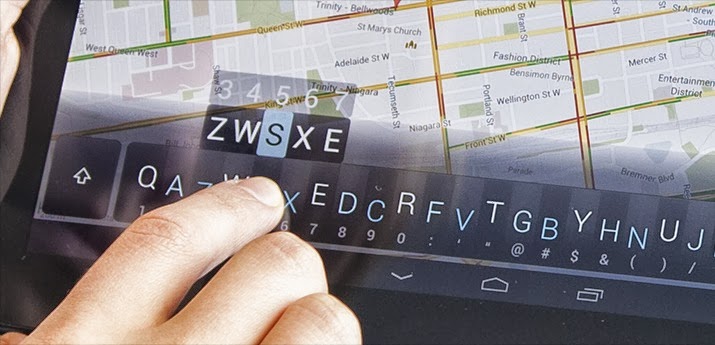
Minuum is a tiny, one-dimensional keyboard that frees up your screen space while allowing you to type fast and accurately. Type quickly without worrying about being precise, thanks to smart auto-correction.SIMPLIFIED TOUCHSCREEN TYPING
Most existing keyboards take an approach similar to cramming a full typewriter into a touchscreen device. This gives us keyboards that cover up half the usable touchscreen space (or more), obstructing your content. Minuum gives you back your screen space by reducing the standard keyboard to a single dimension.
HOW MINUUM WORKS IN PRACTICE
Minuum re-imagines the keyboard by minimizing a standard layout into a single line, letting you type quickly and accurately without needing large keys. This minimalism is enabled by a specialized auto-correction algorithm that allows highly imprecise typing. These algorithms interpret, in real time, the difference between what you type and what you mean, getting it right even if you miss every single letter.
DISCOVER MORE
The Minuum linear keyboard for touchscreens is just the first step toward a "type anywhere" future. Minuum will let you type on wearable devices like smart watches, game controllers, and more devices of minimum size. By supporting this app, you help to enable that vision.
MINUUM KEYBOARD FEATURES AT A GLANCE
MORE SCREEN SPACE
Recover more than half of the usable touchscreen space you lose when typing on traditional virtual keyboards.
FAST SLOPPY TYPING
Type fast without worrying about being precise, thanks to smart auto-correction.
LARGE-FINGER FRIENDLY
Use key magnification through a zoom view for precise entry of letters, numbers, and punctuation—especially useful if you have large fingers.
FAMILIAR KEYBOARD LAYOUT
You already know how to type with Minuum—it’s just the QWERTY layout, minimized.
DIFFERENT ALPHABET ARRANGEMENTS
Choose from alternate keyboard layouts—such as “QWERTZ,” “AZERTY,” “A-Z.”
FULL FUNCTIONALITY
Get everything you’d expect in a keyboard (such as, punctuation, space, backspace, and enter) without losing your screen space.
EXPANSION TO FULL-SIZED KEYBOARD
Press with two fingers on the keyboard to switch between mini and full-sized modes (useful for URLs and passwords).
SMART WORD PREDICTION
Speed up your typing by choosing from suggestions made by a predictive engine that learns from you based on your word list, word combinations, and language use patterns.
VOCABULARY CONTROL
Minuum learns from your vocabulary, and you can delete words from your dictionary though a handy pop-up display.
GESTURE SHORTCUTS
Slide your fingers to the corners for quick, convenient access to all your features via pop-up keys.
LANGUAGE CAPABILITY
Initial beta releases of the Minuum keyboard are English-only, but as we widen the beta test we encourage you to give us feedback at support.minuum.com about adding different languages.
VOICE TYPING
Experience hands-free text entry via Google Voice Typing for voice-to-text typing when performing other activities.
What's in this version : (Updated : Sep 18, 2013)
• Fixed random capitalization issues
• Improved accuracy
• Fixed bugs in Samsung/HTC apps
• Fixed interaction with hardware keyboards
• Improved punctuation after candidate word choice
Here is the link for Download........................
DOWNLOAD>>
DOWNLOAD>>
NotifierPro v9.2 APK
Requires Android:2.1 and up| 3.6 MB |
NotifierPro greatly improves the way your device displays notifications.
NotifierPro Plus:
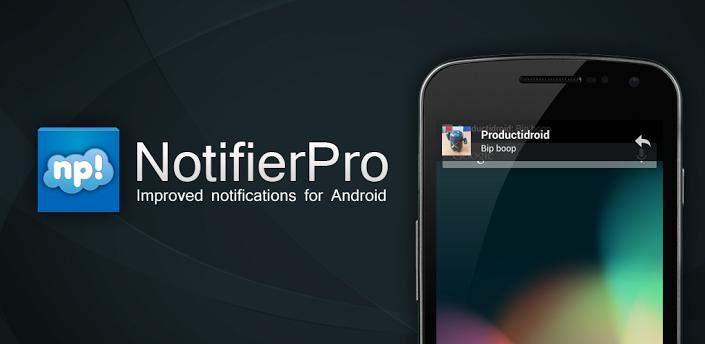
With NotifierPro ( Notifier Pro ) you can greatly improve the way your device displays notifications.This app provides banner notifications for any app installed on your phone.
How to use it :
• Click the notification to launch it
• Swipe to the right to dismiss it
• Swipe to the left to dismiss notifications coming from the same app/contact
Important information :
• Note that dismissing the notification won’t remove it from the status bar (the Android
OS doesn’t currently allow to manually remove 3rd party apps notifications from the
status bar).
• If you use a custom lockscreen app such as MagicLocker or WidgetLocker, or if you use
the stock Android 4 ICS lockscreen, banners will show above your lockscreen.
• As a default, notifications will be enabled for SMS, MMS, missed calls, GMail, Talk,
WhatsApp, Facebook, Twitter, Skype, etc…
• NotfierPro will notify you even if you’re in a fullscreen app
Plus version :
• You can set individual settings for each app
• You have access to 5 exclusives themes
• You can choose the text position
• You can hide the icon
• You can choose the size for the banner
• You can set custom vibration patterns
• You can choose the action when you do a left or right swipe on the banner
• You can disable clicks
• You can set quiet hours
• You can use reminders
• You can use privacy options
• You can display the contact picture for any app (experimental)
What's in this version : (Updated : Sep 18, 2013)
• Individual wake up setting
• Bug fixes
• UI changes
Here is the link for download............
DOWNLOAD>>
DOWNLOAD>>

Stock UI Icon Theme Apex Nova v3.3 APK
Requires Android:2.3.3 and up | 36 MB |
Keep your launcher cool and updated!
Stock UI Icon Theme Apex Nova Features:
1200+ HD icons (144x144) (Growing with REGULAR UPDATES)• Icon Mask for other icons
• for Apex Only: Sense 5 font
• for Nova: 16 Dock Styles that you can select in settings
• Unicon (Icon Themer) Support - You Can Set Icons with ALL Launchers!
• Included in icon picker 18 Drawer icons to apply manually
Installation:
• Simple! First of all, be sure you’ve installed one compatible launcher, then open the app
and click on Apply Theme, select your launcher and complete the action... Et voilà...
New life to your style!
• Recommended Settings: icon size-> 110% , no margins or small & Dock Icons Size - Small
Note:
• Works ONLY with following Launchers: Nova, Apex, Holo, Adw, ActionPRO,GO Launcher
• For other launchers except Apex, to have folder icons working you have to set it
manually in launcher's settings ... you'll find it as first icon when browsing the icons of
pack
What's in this version : (Updated : Sep 10, 2013)
• +200 ICONS + 10 WALLPAPERS
• +16 NOVA DOCKS +GO LAUNCHER SUPPORT
Here is the link for Download........................
DOWNLOAD>>
DOWNLOAD>>
Most eyes where on the Samsung Galaxy Note 3 and Samsung Galaxy Gear during Samsung’s principle press event at IFA yesterday, but there was also another tidbit of information that will bring a smile to millions of Samsung Galaxy S3 and S4 owners. According to Samsung the company plans to roll out Android 4.3 for both devices during October.
The Galaxy S3 launched in 2012 with Android 4.0.4 Ice Cream Sandwich and during this summer an update to Android 4.1.2 was rolled out. However the update wasn’t without its problems. When Verizon released the 4.1.2 upgrade, which also added support for features like Multi-Window multitasking, Multi-Screen and S Beam’s Auto Share Shot, for Galaxy S3 users on its network reports started to appear about 4G LTE connectivity issues. Verizon pulled the update but within a couple of weeks a new release was made available that fixed the 4G issues. Since then various rumors have hinted at Samsung moving straight to Android 4.3 and skipping 4.2.2.
The Galaxy S4, which was launched earlier this year, shipped with Android 4.2.2 and the update to Android 4.3 should be hassle free considering that the Google Play Edition of the Galaxy S4 is already running the latest version.
One device conspicuous by its absence in Samsung’s announcement was the Galaxy Note 2. The Note 2, which was released this time last year, is currently running Android 4.1 and it was assumed that Samsung would upgrade it to Android 4.3 along with the S3 and S4. Since the new Galaxy Note 3 will ship with Android 4.3 it is highly likely that the latest version will come to the Note 2 but we are just awaiting confirmation and dates from Samsung.
Android 4.3 is still a variant of Android Jelly Bean (along with 4.1 and 4.2) but it does bring some interesting new features including restricted profiles (a much better way to handle multiple users on the same tablet), Bluetooth 4.0 low-energy support, OpenGL 3.0 support, a T9 dialer and improvements to the notification system.
This is all great news for Samsung S3 and S4 owners, but of course now the problem is that Google have tempted us with thoughts of Android 4.4 KitKat!

Weather Live with Widgets v1.7.4 APK
Requires Android:2.3.3 and up | 24 MB |
Turn your device into a beautiful weather station!
Weather Live :
Introducing Weather Live. The most beautiful weather app. Ever.Don't let bad weather take you by surprise! Whether it is cloudy, rainy, snowy or even stormy outside, Weather Live will provide you with current weather conditions and forecast in your city and multiple locations all around the world.
Cold or warm weather, it will magically come alive on the crisp screen of your device. You won’t even have to look out the window as Weather Live will make you feel like you are already outside! With an innovative technology Weather Live implemented into the app, we made it possible!
Weather Live Features:
■ Weather forecasts for multiple locations all around the world■ Live weather scenes reflecting real-time weather conditions
■ Local time in 12 or 24-hour format
■ Customizable layout: all weather details, short-term forecast, long-term forecast,
current state only, text only
■ 7-day and 24-hour weather forecast
■ "Feels Like" temperature. Today’s Min and Max
■ Wind direction and speed. Visibility details
■ Humidity and precipitation information. Pressure in inches, mm or mbar
■ Fahrenheit or Celsius and Miles or Kilometers
■ Easy navigation between cities: swipe either to the left or to the right to switch
between locations
What's in this version : (Updated : Sep 13, 2013)
■ Turkish, Korean, Chinese (Simplified), Chinese (Traditional) and Thai localizations added
■ Performance and stability improvements
Here is the link for Download........................
DOWNLOAD>>
DOWNLOAD>>
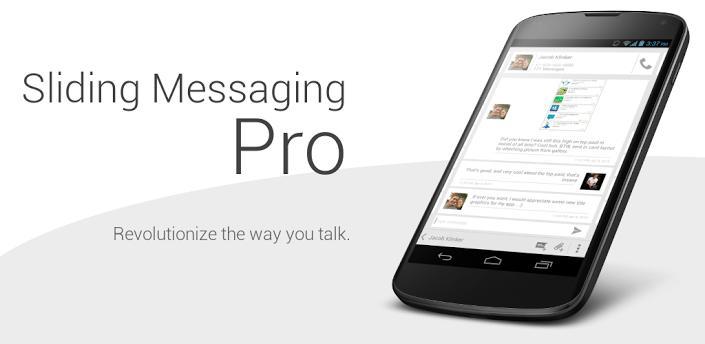
Sliding Messaging Pro v7.51 APK
Requires Android :4.0 and up | 5.2 MB |
Easily manage text messages in a new and up to date format compliant with the Android!
Sliding Messaging Pro :
Easily manage text messages in a new and up to date format compliant with the Android design guidelines and visually based on the stock messaging app from Google, with added features.Sliding Messaging Pro Features:
• Easily switch between conversations by dragging out the sliding menu on the left side ofthe screen.
• Start a new conversation by sliding out the menu on the right side of the screen
• Manage old messages with a single click
• Choose between light and dark themes
• Limited MMS support
• Emoji support
• Adjust text size and control notifications and theme though settings
• Quick reply popup
• Multi-window support for Galaxy Note
• Light Flow support
Pro Features:
• Currently limited MMS support (future improvement definitely coming though)
• Lots more coming in the future :)
Note:
• If you are having problems receiving notifications, you may need to uninstall 3rd party
messengers such as Go SMS.
• When using this app, do not disable the stock messaging app as I use it to permanently
save messages to the phone. You can however, disable notifications for it so that you
don't receive 2 of them.
•
What's in this version : (Updated : Sep 14, 2013)
• 3 different Google Voice message syncing options (refresh on interval, on notification, or
manual refresh)
• MMS fixes including a fix for sending with WiFi enabled which is still experimental
• Google Voice sending settings are now saved on a per-conversation basis
• New settings menu navigation
• More delivery report options
• Holo Light theme applied throughout the app to better match Google's current styles
• Tablet specific UI changes and fixes
DOWNLOAD>>
DOWNLOAD>>


